Workspaces in Monday.com can now be templated
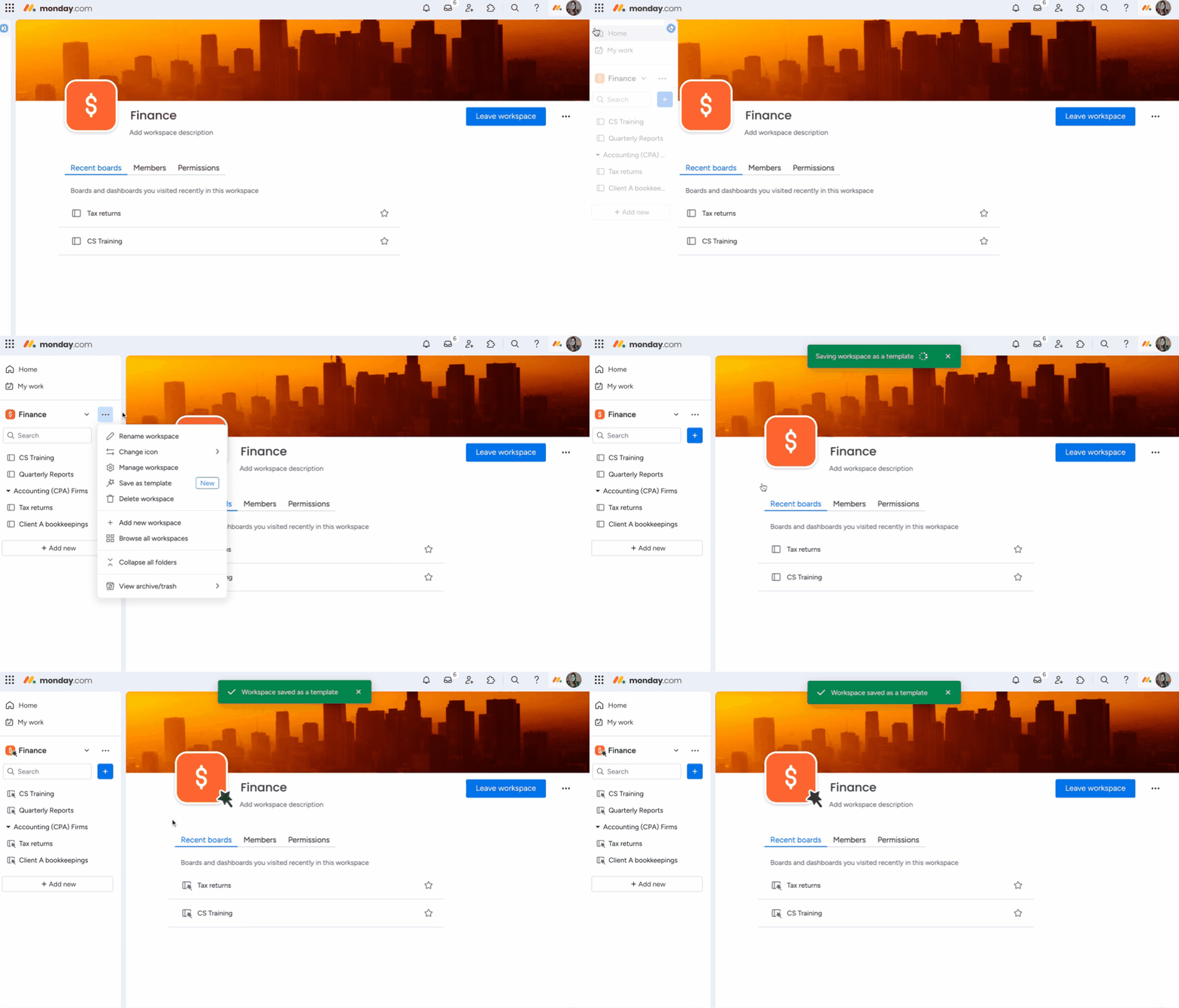
If you’re using Monday.com, a new feature has been added that can make a huge difference: Workspace Templates. You’re probably thinking, “Cool, but how can I use this to save time?!”
Don’t worry. I’ve got you covered. Here are two great use cases for this new feature…
Use Case 1: Location Template
If your business has multiple locations, setting up a workspace for each location can be a great way to structure your Monday account.
But making sure every location has the same base structure (boards, views, dashboards, folders, etc.) can be a time-consuming process to do manually.
Instead, create a workspace that includes everything you want each location to have. Then, convert it into a template. Once it’s a template, you can rapidly create new locations — saving hours of repetitive work.
Use Case 2: Department Template
Workspaces are also a great way to give each department a place to manage their projects and action items. And, many times, you’ll want each department to have a similar structure. For example, each department might need…
A request form
A backlog board
A KPI dashboard
A recurring tasks board
etc.
It’s too much work to set up all those things each time, so create the foundation once, save it as a Workspace Template, and then use that template when creating each department.