ClickUp Updates (Nov 10, 2023)
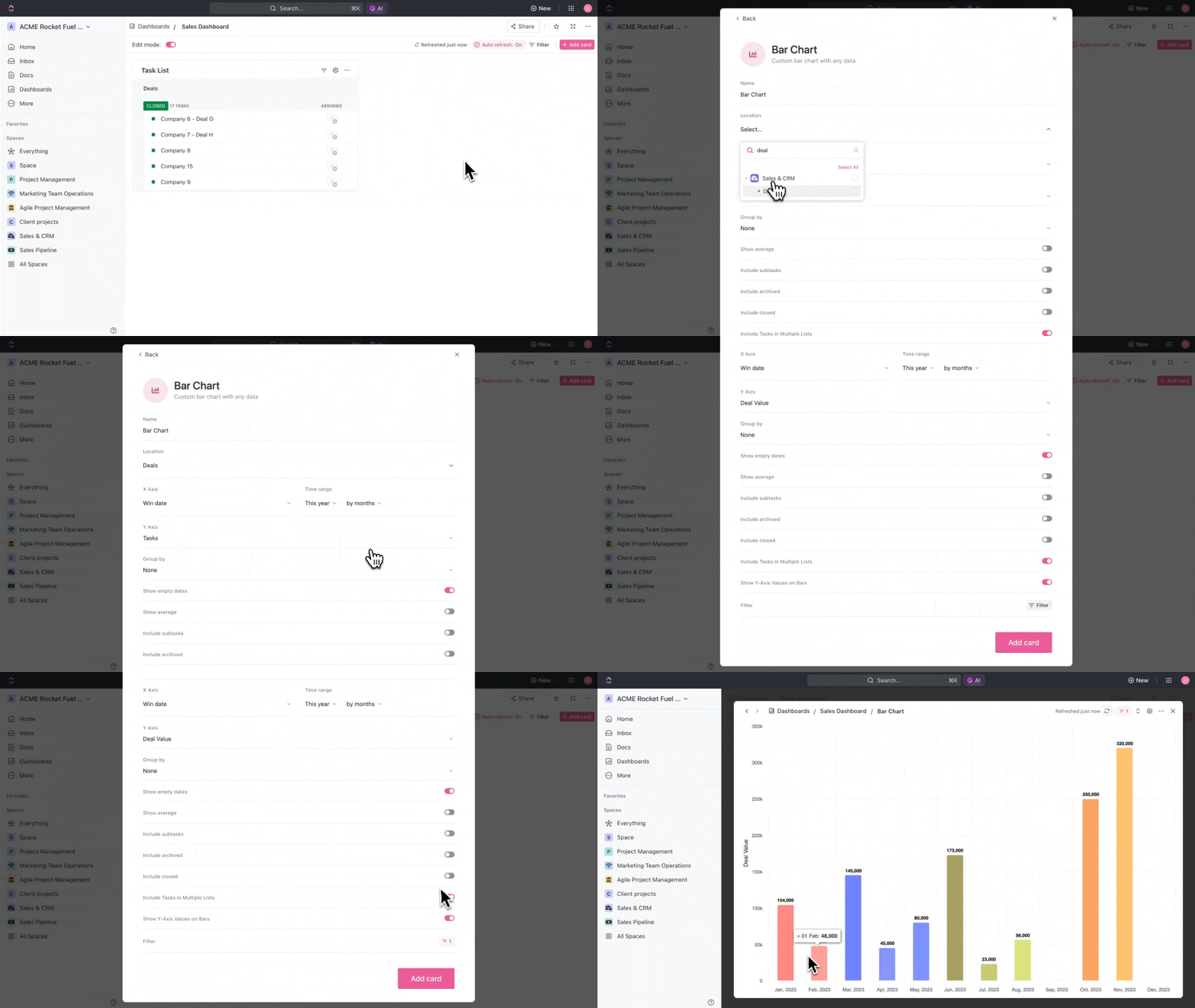
Improved Dates in Dashboard Charts
You can now choose how your dates are displayed in your dashboard charts! If you’re not using ClickUp dashboards yet, now’s the time. They are a powerful way to visualize what’s happening across any part of your ClickUp Account.
Comment if you have questions on whether ClickUp dashboards could help your business.
New fields in Formulas
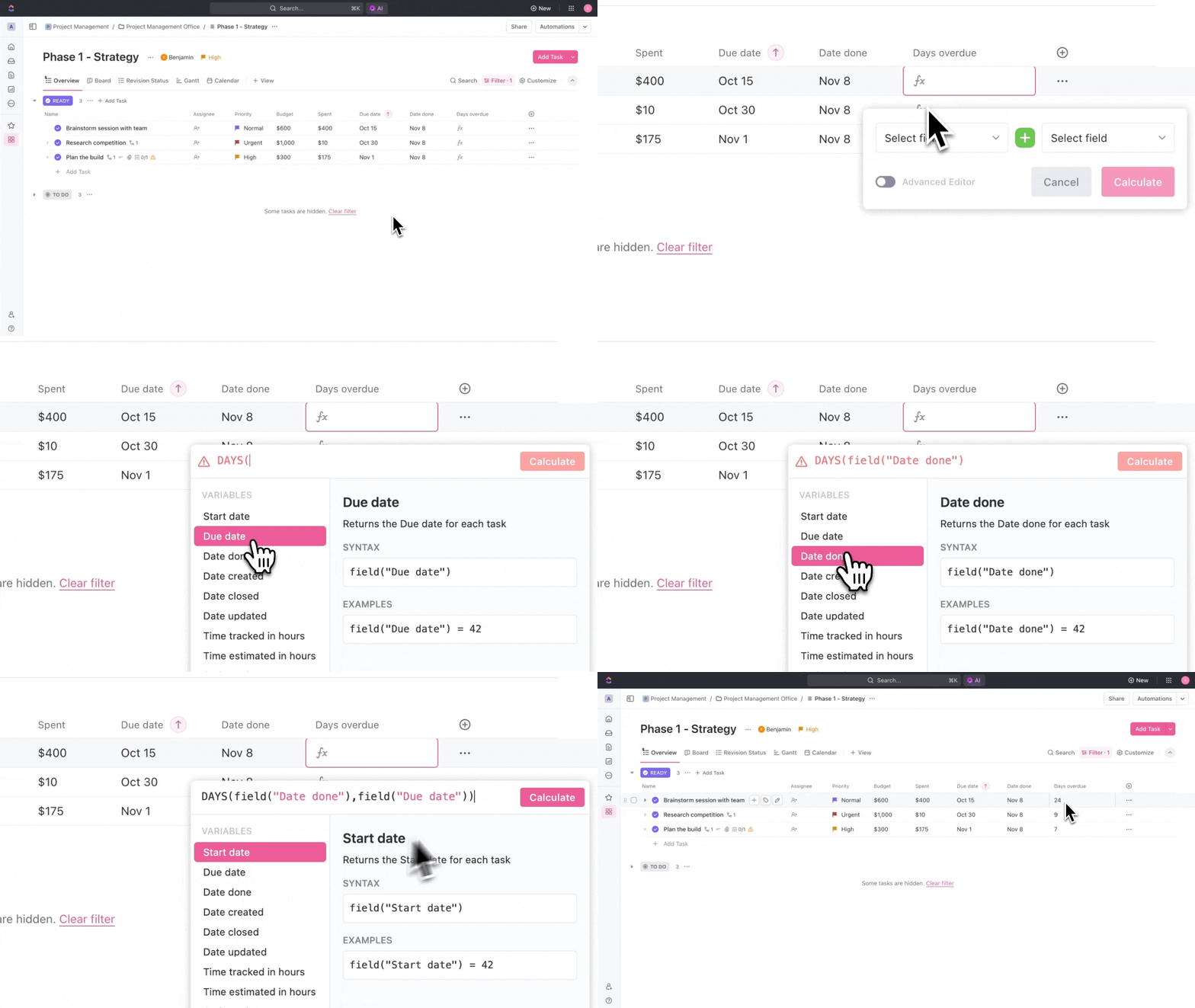
Formula fields are a great way to calculate and display values in your views at the List, Folder, or Space level to remove manual work and reporting.
Here’s a quick example:
If you have a custom date field that tracks the “client delivery date” of a specific task, you can use a formula field to calculate how many days remain until that date.
Have questions on how you might leverage Formula fields in ClickUp? Drop a comment below!
Additional Bug Fixes
ClickUp’s dev team also squashed several bugs relating to Tasks, the Hierarchy, Dashboards, Toggl integrations, Notifications, and issues with loading.