[AI Deep Dive] Claude Can Now Send Outlook Emails and Edit Your SharePoint Files
The Microsoft 365 connector used to be a search tool. Claude could read your Outlook, SharePoint, OneDrive, and Teams threads, but do nothing else.
Last week, that changed.
Claude can now send email, move things to the trash, book and cancel meetings, set your out-of-office, rewrite inbox rules, and create, rename, move, and delete files in SharePoint and OneDrive.
But it's off by default, and turning it on takes a couple of steps that most admins haven't done yet. Let's dive in...
What Claude can actually do in your Microsoft Workspace now
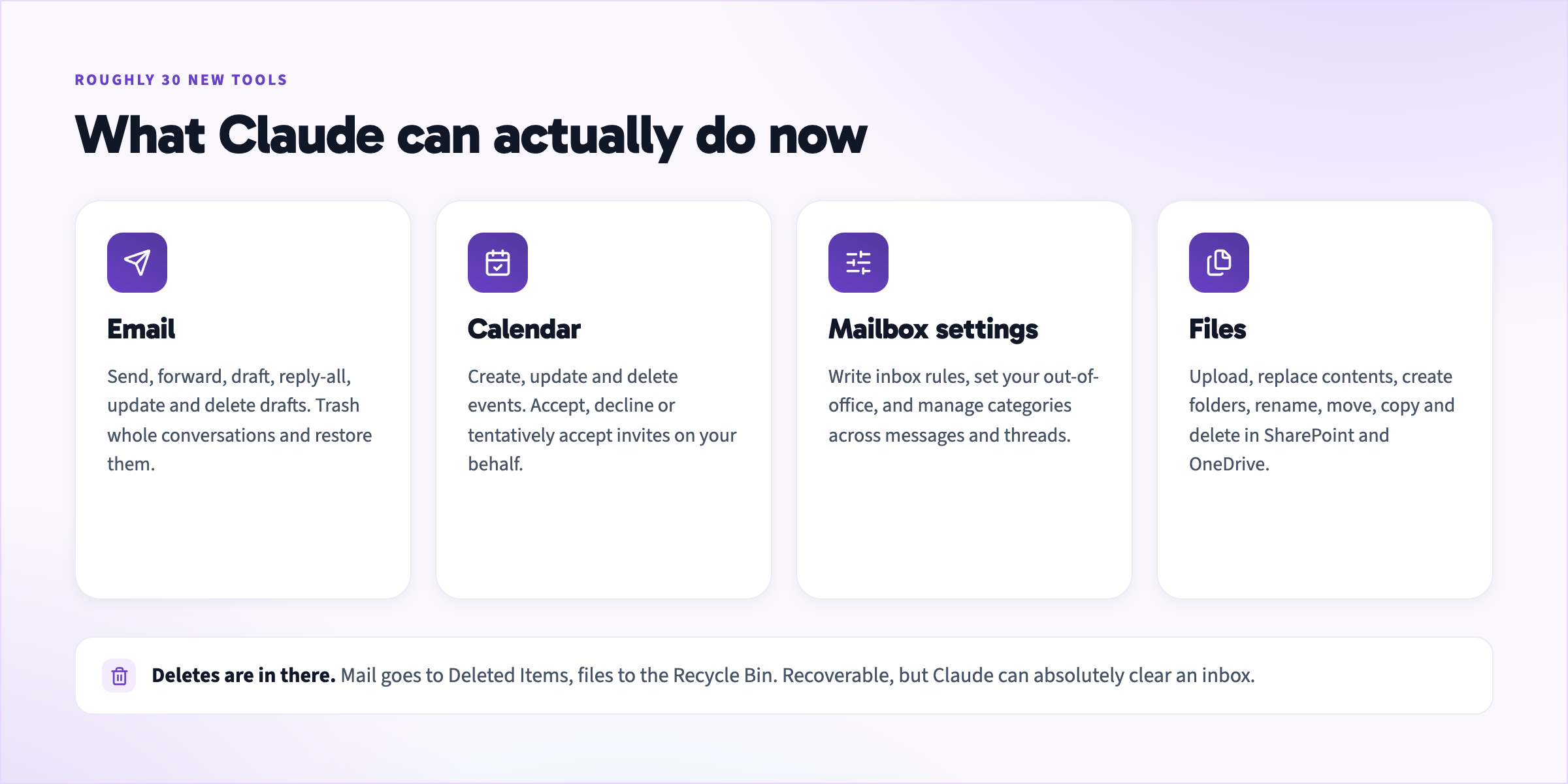
30+ new tools got added. They land in four buckets:
Email - Send, forward, send an existing draft, create drafts (including reply and reply-all), update drafts, delete drafts. Also move whole conversations to Deleted Items, batch-delete messages, and restore them.
Calendar - Create, update, and delete events. Accept, decline, or tentatively accept invitations on your behalf.
Mailbox settings - Create and delete inbox rules. Set your automatic out-of-office reply. Create, rename, recolor, and delete categories, and apply them across messages or entire threads.
Files - Upload new files, replace the contents of existing ones, create folders, rename, move, copy, and delete files and folders in SharePoint and OneDrive.
Important: Delete options are in there. But fortunately, Mail goes to Deleted Items and files go to the Recycle Bin, so nothing is unrecoverable, but Claude can absolutely clear out your inbox and reorganize a SharePoint library.
What it still can't do
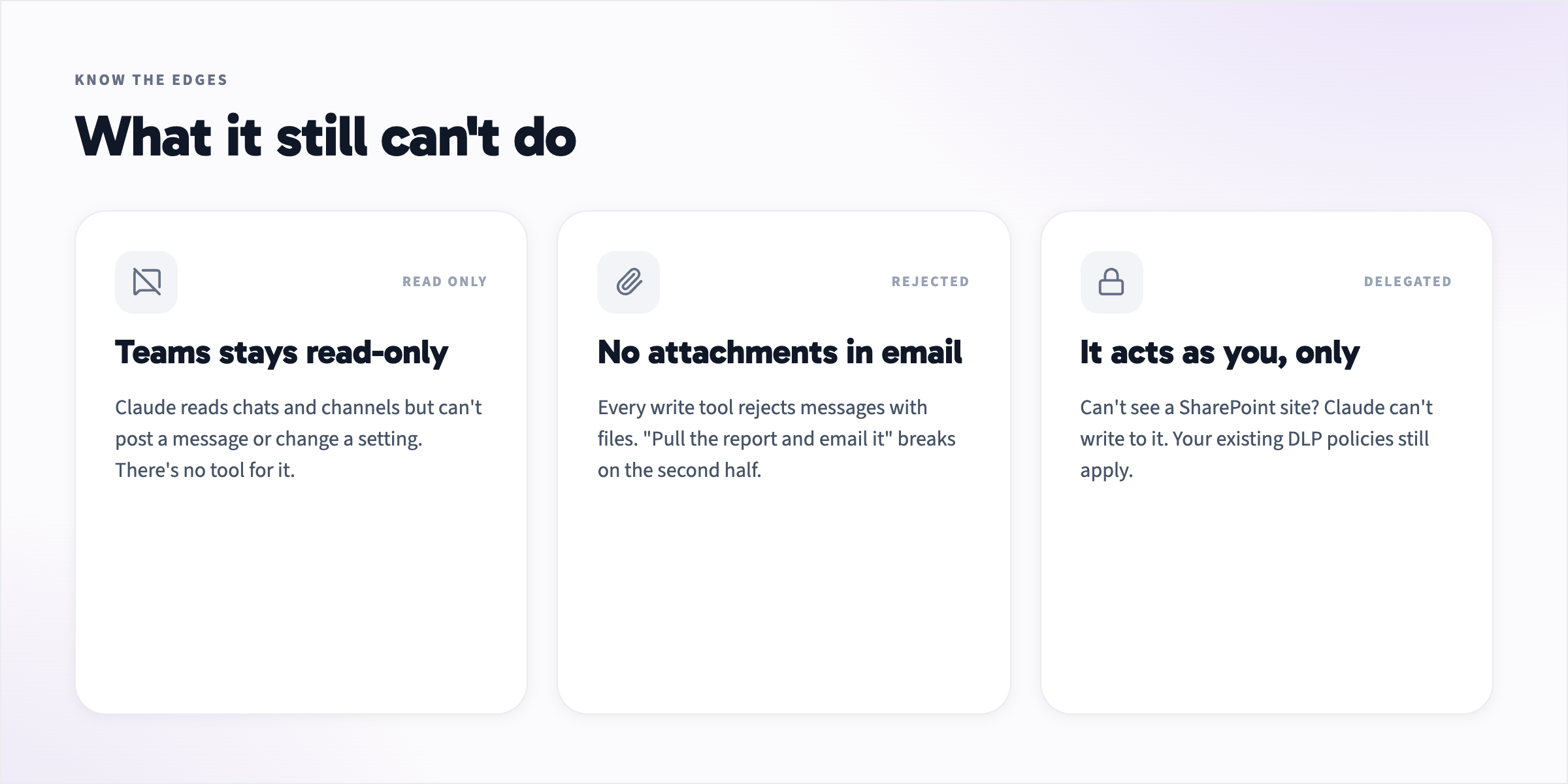
Teams is read-only. Claude can read your chats and channels but can't post a message or change a Teams setting. There's no tool for it.
No attachments in email. Every write tool rejects messages with attachments. Claude can't send, forward, or even draft an email with a file attached. If your workflow is "pull the report and email it to the client," that second half doesn't work yet.
It can't exceed what you can already do. The connector uses delegated permissions, which means Claude is acting as you. If you can't see a SharePoint site, Claude can't write to it either. Your existing DLP policies still apply.
The safeguards that come with it
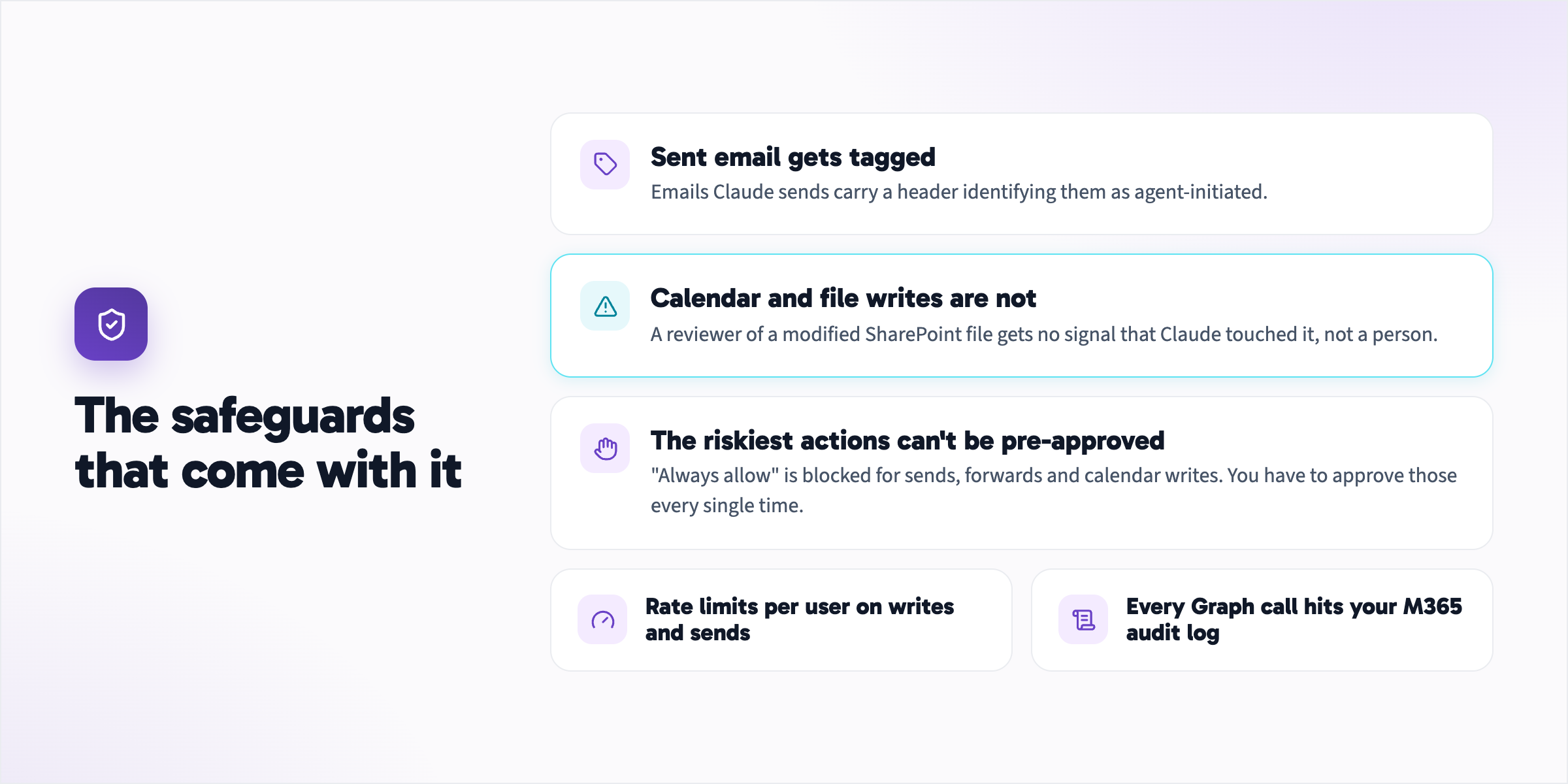
Anthropic built in a few safeguards you should know about.
Sent email gets tagged. Emails Claude sends carry a header identifying them as agent-initiated.
Calendar and file writes are not tagged, which is the gap I'd flag. Someone reviewing a modified SharePoint file has no signal that Claude touched it rather than a person.
The riskiest actions can't be pre-approved. "Always allow" is blocked for sending email, forwarding, sending a draft, and creating or updating calendar events. You have to approve those every single time.
There are rate limits per user on writes, sends, and recipient counts.
Everything shows up in your audit log. All Graph API calls the connector makes get logged in your Microsoft 365 audit log with timestamp, user, operation, and resource, viewable in the M365 Compliance Center.
Turning it on takes two approvals
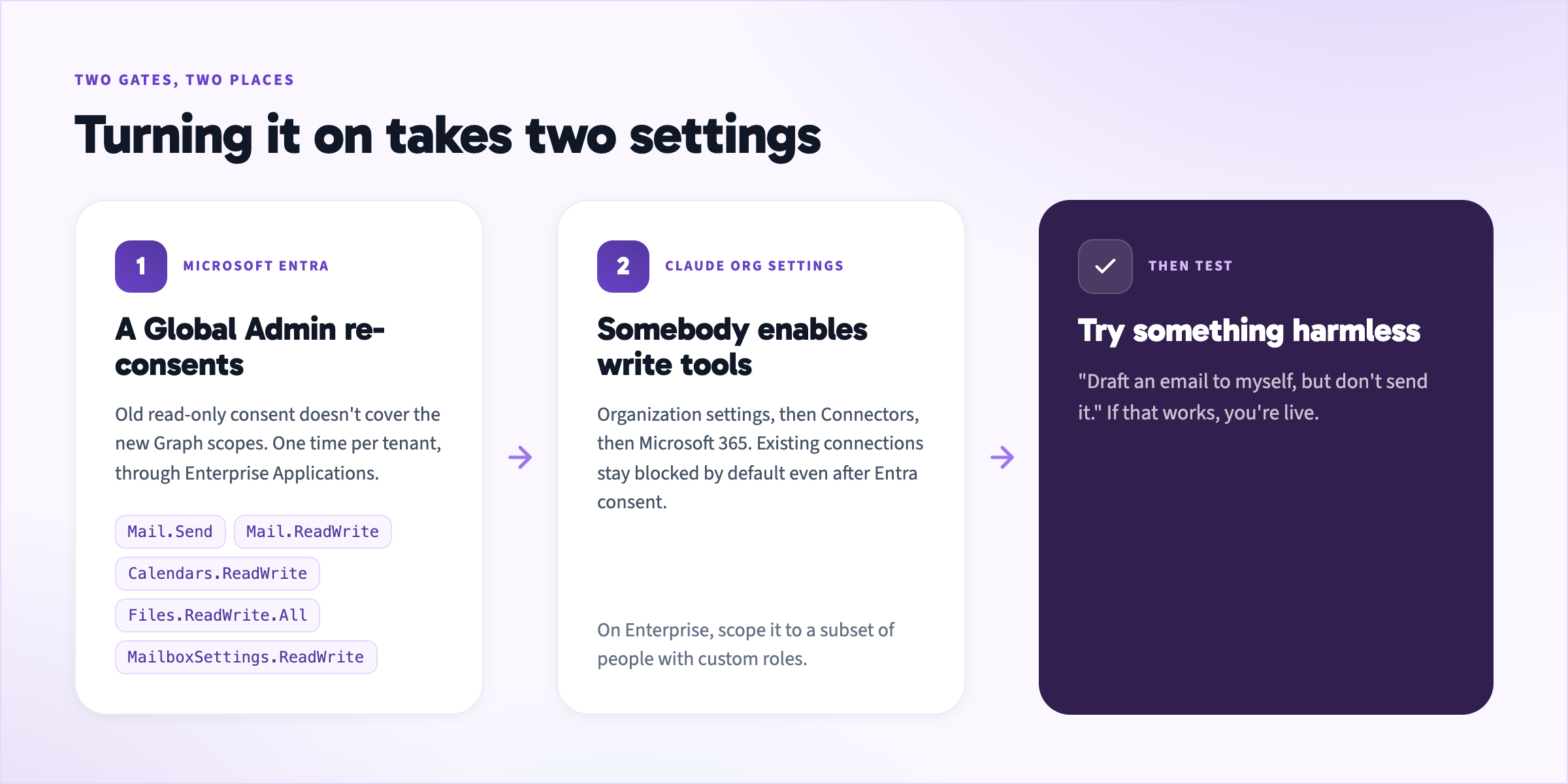
There are two separate gates, in two different places, and both have to happen.
1. A Microsoft Entra Global Administrator re-consents to the new permissions.
The write tools need Graph scopes the connector never asked for before: Mail.Send, Mail.ReadWrite, Calendars.ReadWrite, Files.ReadWrite.All, and MailboxSettings.ReadWrite.
If your tenant consented back when the connector was read-only, that old consent doesn't cover any of this. An Entra Global Admin has to review and approve the updated permission set through your tenant's Enterprise Applications consent flow. One time per tenant.
2. Somebody enables write tools on the Claude side.
Go to Organization settings > Connectors, find Microsoft 365, and set the permissions. If your org was using the connector before write tools shipped, they're blocked by default even after the Entra consent goes through.
On Enterprise plans, you can scope this to a subset of people using custom roles instead of flipping it on for everybody.
3. Then test it with something harmless.
Anthropic's own suggestion is a good one: "Draft an email to myself, but don't send it." If that works, you're live.
If you're a user and you don't see write tools
Three things to check, in order:
Has your Entra admin consented to the updated permissions?
Has someone enabled write tools in your Claude org settings (or given your role access)?
Disconnect and reconnect Microsoft 365 under Customize > Connectors. The new tools won't show up on a connection you made before write tools launched.
You also get your own controls once it's on. Under Customize > Connectors > Microsoft 365 there's a Tool permissions list where you can turn individual tools off. Keep document search, kill email writes, whatever fits.
Bottom line

The read-only version of this connector was useful. This version is the difference between Claude telling you what's in your inbox and Claude clearing your inbox.
Know someone who'd find this useful?
Forward this to a colleague whose admin is about to get a permissions request they don't understand. They can subscribe at your.biggestgoal.ai to get our briefings daily.