[AI Use Case] How to build Landing Pages (in less than 10 minutes)
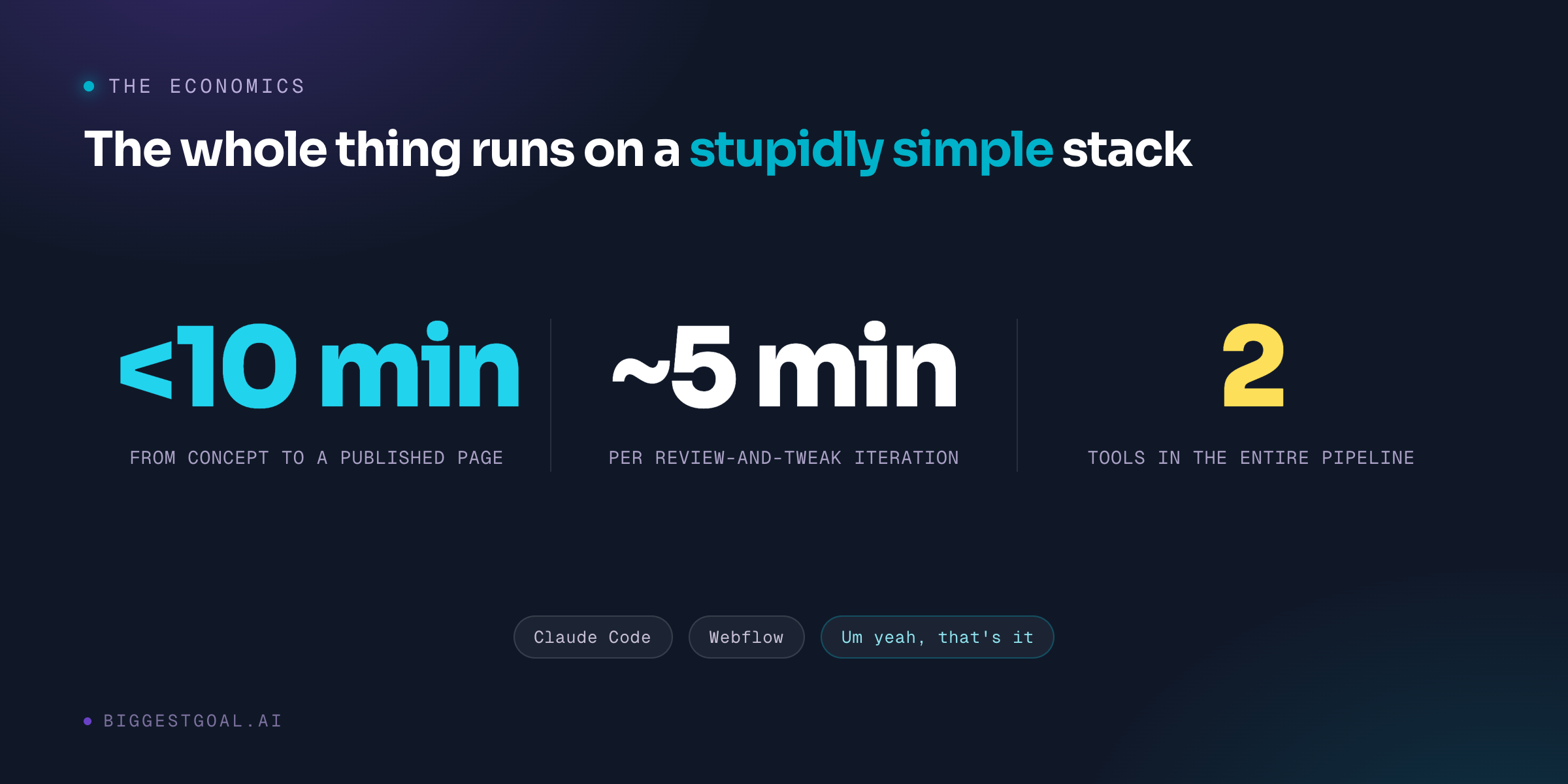
We build all of our landing pages with a Claude Skill now. We went from weeks of development time and cost (or avoiding doing it) to taking a concept, approving a page, and having it live in less than ten minutes.
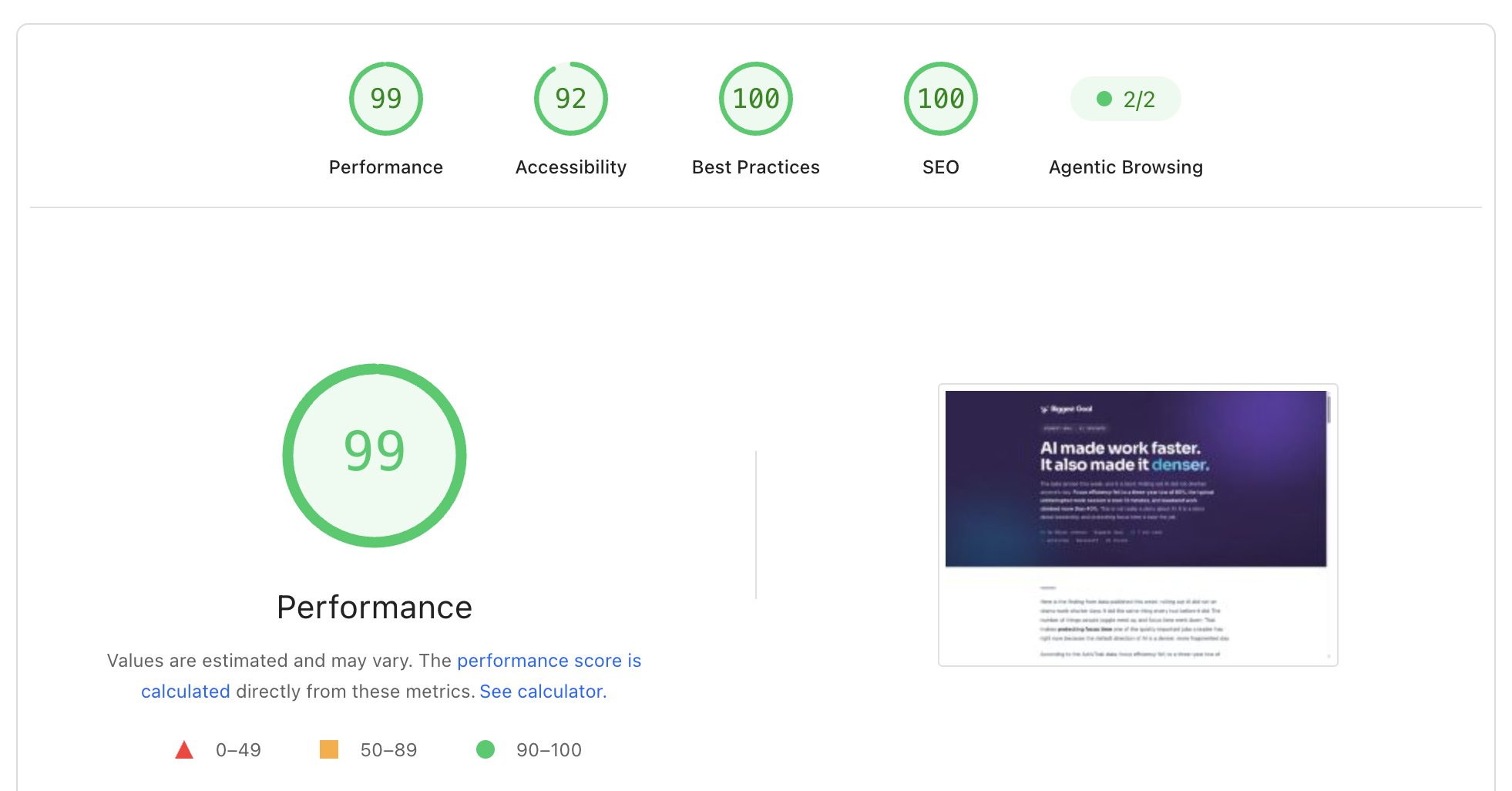
What about performance? Google’s Page Speed Insights give our pages a near perfect rating out of the box, every time!
Here are a few of our actual landing pages that we created using this exact process:
Some of our articles in the community get turned into LPs with simple CTAs - https://www.biggestgoal.ai/l/protect-focus-time
Common questions that people ask are now 5 min pages to set up - https://www.biggestgoal.ai/l/claude-connectors
We even built an entire index of pages related to all the commands in Claude Code (yes, each command links to another page). All built in about 10 minutes -
Here's exactly how we do it
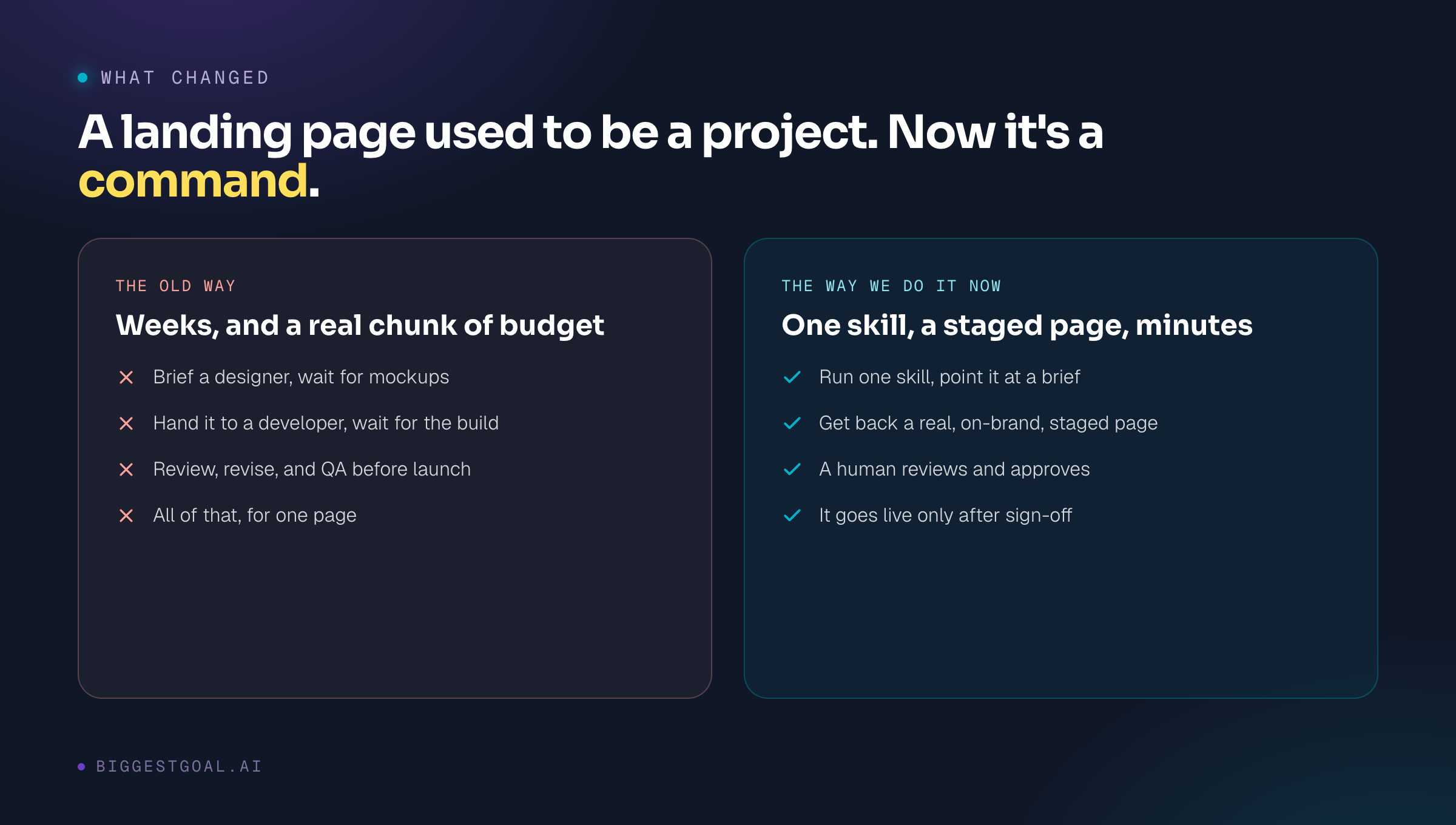
For us, like many others, an effective landing page used to be a small big project.
Brief a designer, wait for mockups, hand it to a developer, wait for the build, review, revise, go even more bald, and QA before anything goes live. Weeks go by... for one page.
We do it differently now
When we need a new landing page, we run a single Claude Code Skill, point it at a document that describes the page we want, and get back a real, on-brand, staged page ready for us.
The whole thing runs on a super simple tech stack:
Claude
Webflow
(Um yeah, that's it)
The four components
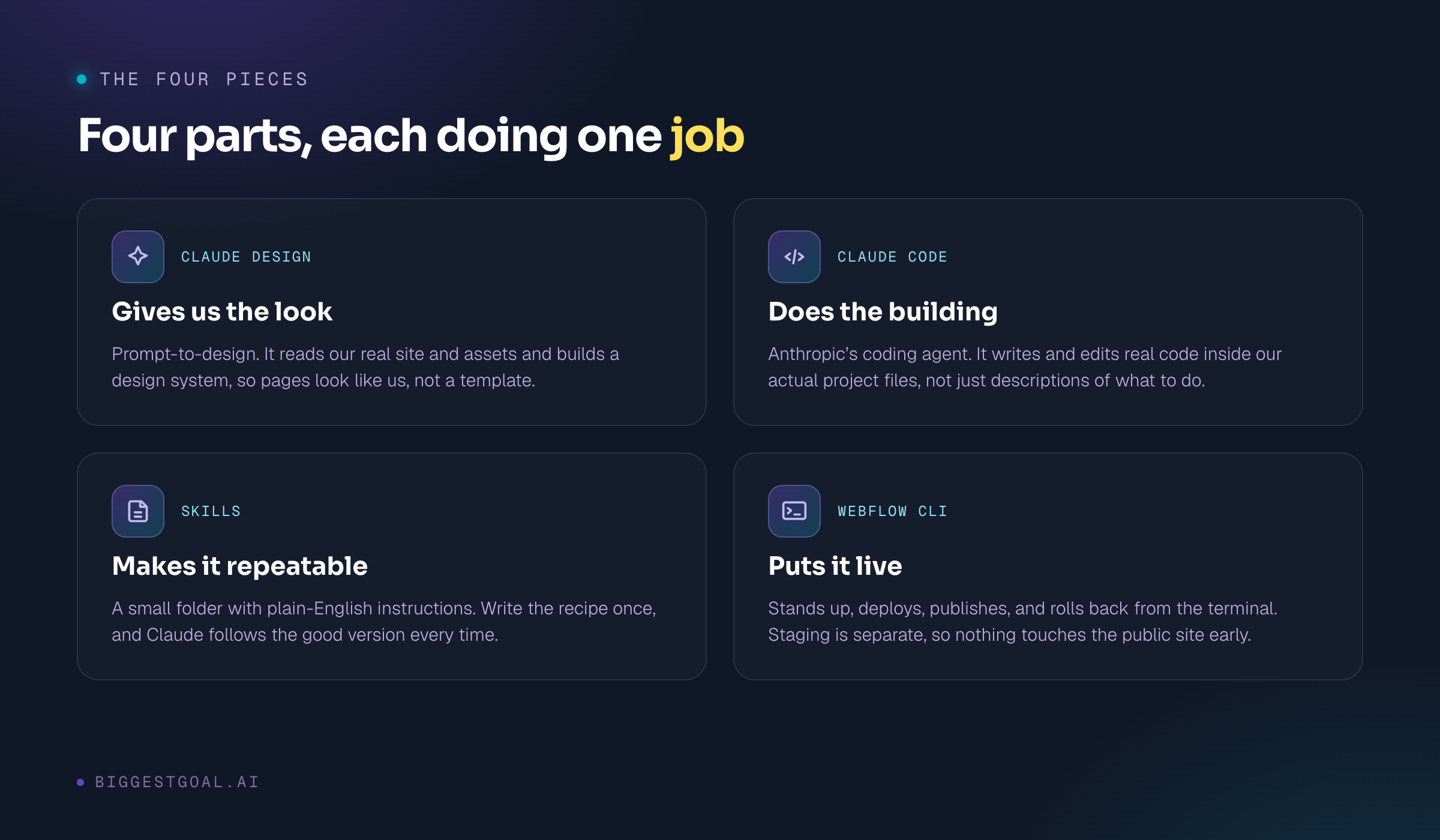
1. Claude Design
Claude Design is Anthropic's prompt-to-design tool. You collaborate with Claude to create actual visual work: web pages, prototypes, slides, marketing assets.
Its most useful trick for us is that it can read your existing website, PDFs, or other marketing assets and produce a Design System from it. This ensures that everything it produces looks like you rather than a generic template.
When a design is ready to use, you can export it. (Note: while Claude Design is amazing, It's currently in research preview. For context, Cowork was in research preview for 3+ months after its initial release in mid-January)
2. Claude Code
Anthropic's coding agent. It writes and edits real code, runs commands, and works inside your actual project files rather than just describing what to do.
3. Claude Skills
A Skill is a small folder with a plain-English instructions file at its center (a SKILL.md with a name and a description). Once it exists, Claude can run it, either because you invoke it directly or because it recognizes the job from the description, and it will follow those saved instructions every time.
Think of a skill as a recipe you wrote once so you never have to re-explain the dish. Skills work across Claude Code, the Claude apps, and Cowork.
4. The Webflow CLI (command line interface)
This is Webflow's official command-line tool. It lets code do, from the terminal, the things you'd normally click around the Webflow dashboard to do:
Stand up a project
Deploy it to an environment
Publish a page
Update it
And even roll it back.
Crucially, deploying to a staging environment is separate from publishing, so you can get a page fully built and staged without it ever touching the public site.
Put simply: Claude Design gives us the look; Claude Code does the building; the Skill makes it repeatable; and the Webflow CLI puts it live.
Claude Code; not Cowork
If you read our briefings, you know we're big fans of Claude Cowork, so it's fair to ask why this pipeline runs on Claude Code instead.
The short version: this is building something.
Cowork is for delegating tasks, like reconciling a spreadsheet, drafting a memo, or turning a folder of files into a tracker.
Claude Code is for building and shipping things that relate to code (n8n workflows, landing pages, internal tools, etc.) We also use the Webflow CLI, which is a no-brainer for Claude Code.
In other words, it's the right tool for the job.
Building the system
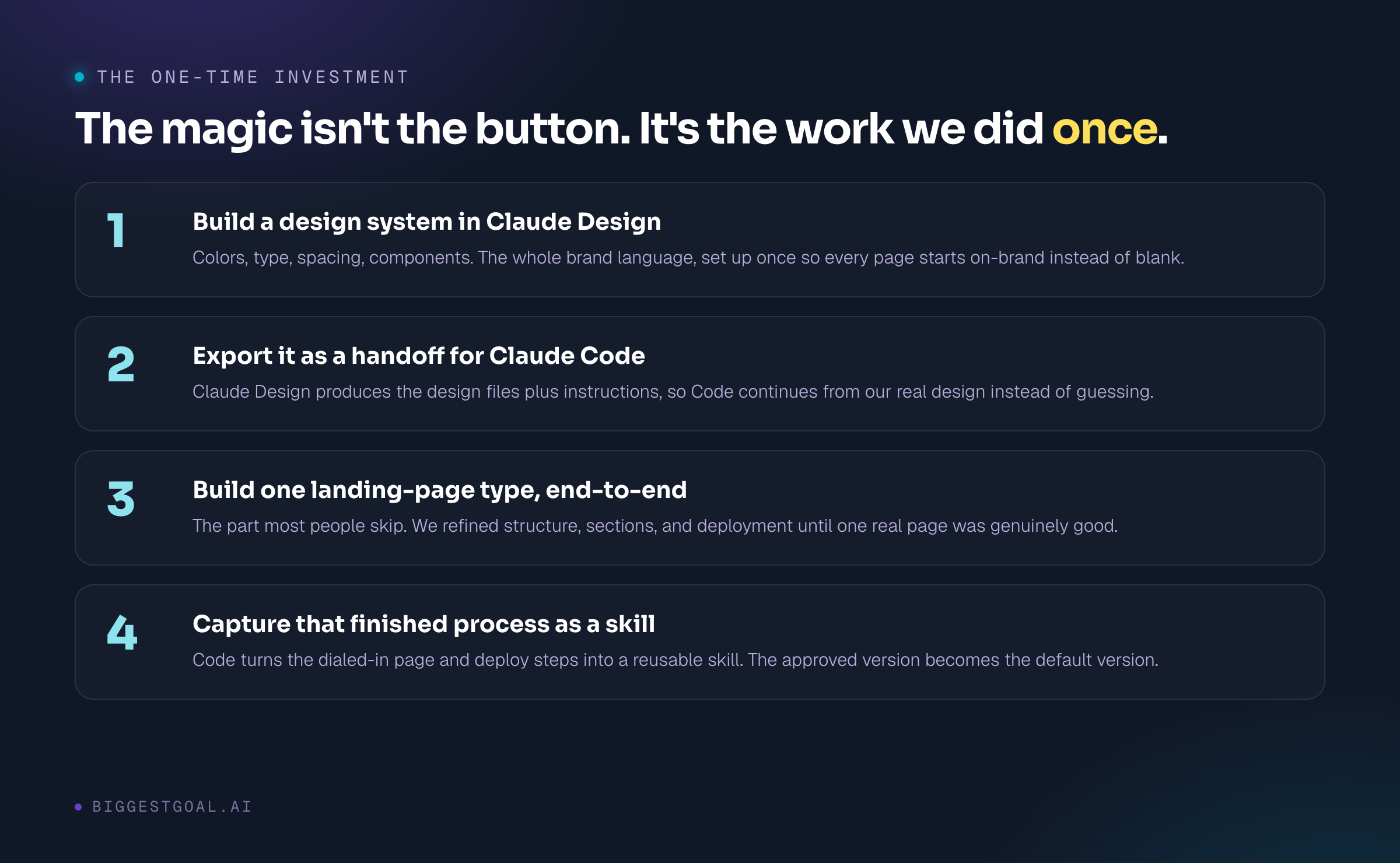
The magic isn't that AI "makes a webpage." It's that we did the hard work once and standardized it.
Here's how...
1. We built a Design System in Claude Design. Colors, type, spacing, components, the whole brand language, set up once so every page starts from the same on-brand foundation instead of a blank canvas.
2. We exported that as a starting point for Claude Code. Claude Design produces a handoff package (the design files plus instructions) and passes it to Claude Code, so Code can continue from our real design rather than guessing from a screenshot.
3. We worked with Claude Code to build one landing-page type, end-to-end. This is the part most people skip. We didn't ask for "a landing page" and accepted whatever came out. We built one real page with Code, refining the structure, the sections, and the way it deploys through Webflow, until it was genuinely good and looked exactly the way we wanted.
4. We had Claude Code turn that finished process into a Skill. Once the page and the steps to ship it were dialed in, we asked Code to capture the whole thing as a reusable Skill. That Skill encodes our page structure, our standards, and the deployment steps, so the approved version becomes the default version.
This four-step investment is the entire point. Everything after it is fast because this part was slow and deliberate.
One command, one page
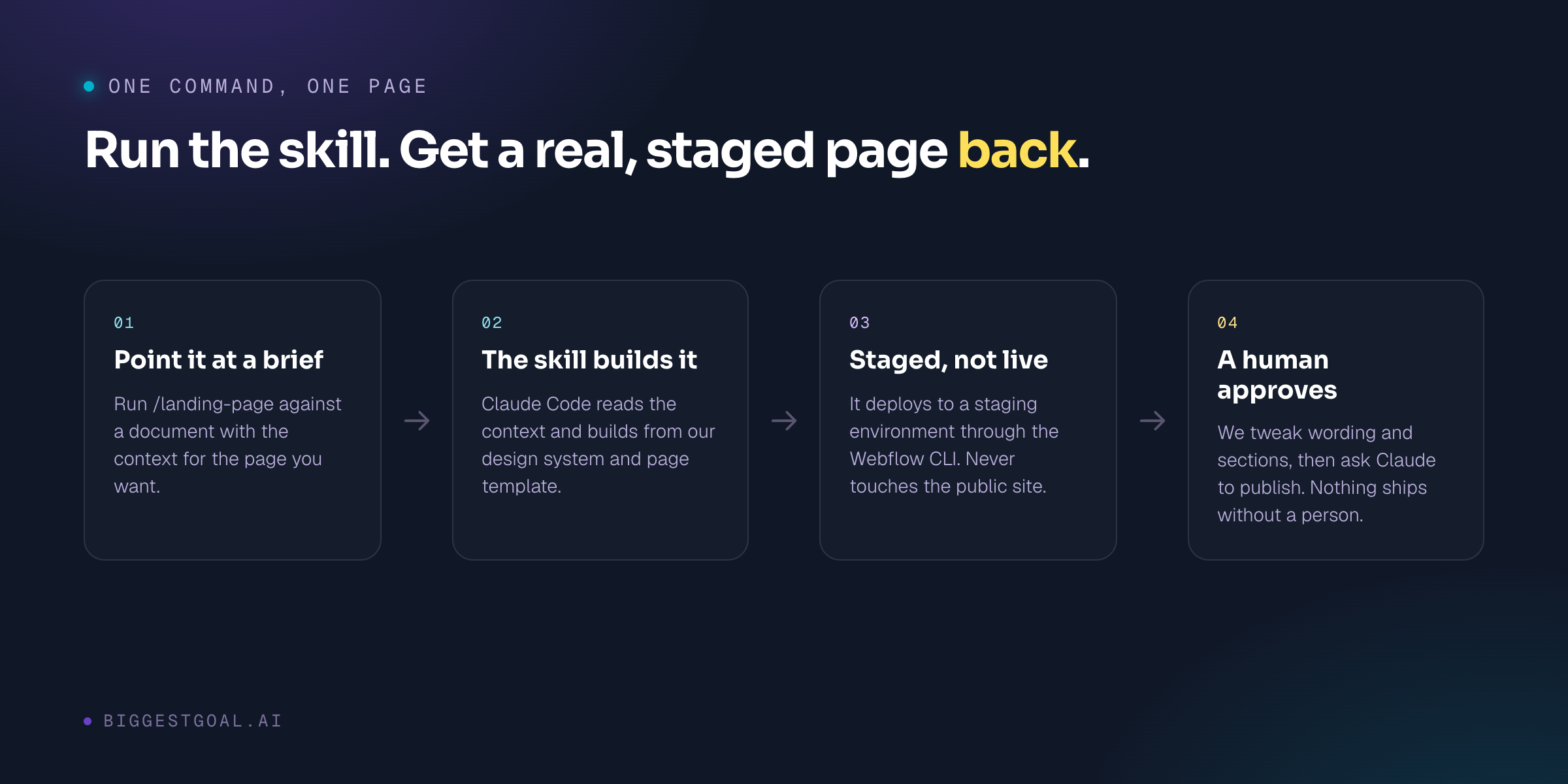
When we need a new landing page, we run the Skill (literally: /landing-page) and point it at a document that contains the context for the page we want.
Claude Code reads that context, builds the page from our design system and page template, and deploys it to a staging environment through the Webflow CLI.
We get a real, working, staged page back, not a mockup.
Then a human reviews it.
We tweak wording, adjust a section, fix anything that's off. Wish the form looked different on this one? Not a problem, ask Claude. Want a different layout in the Hero? No worries, adjust with Claude. Each iteration takes about 5 minutes. It all adds up, but it's a lot less time than doing this the old-fashioned way.
This is so important: Nothing goes live without a person reviewing and approving it. When we're happy, we (ask Claude to) publish.
Avoid generic slop
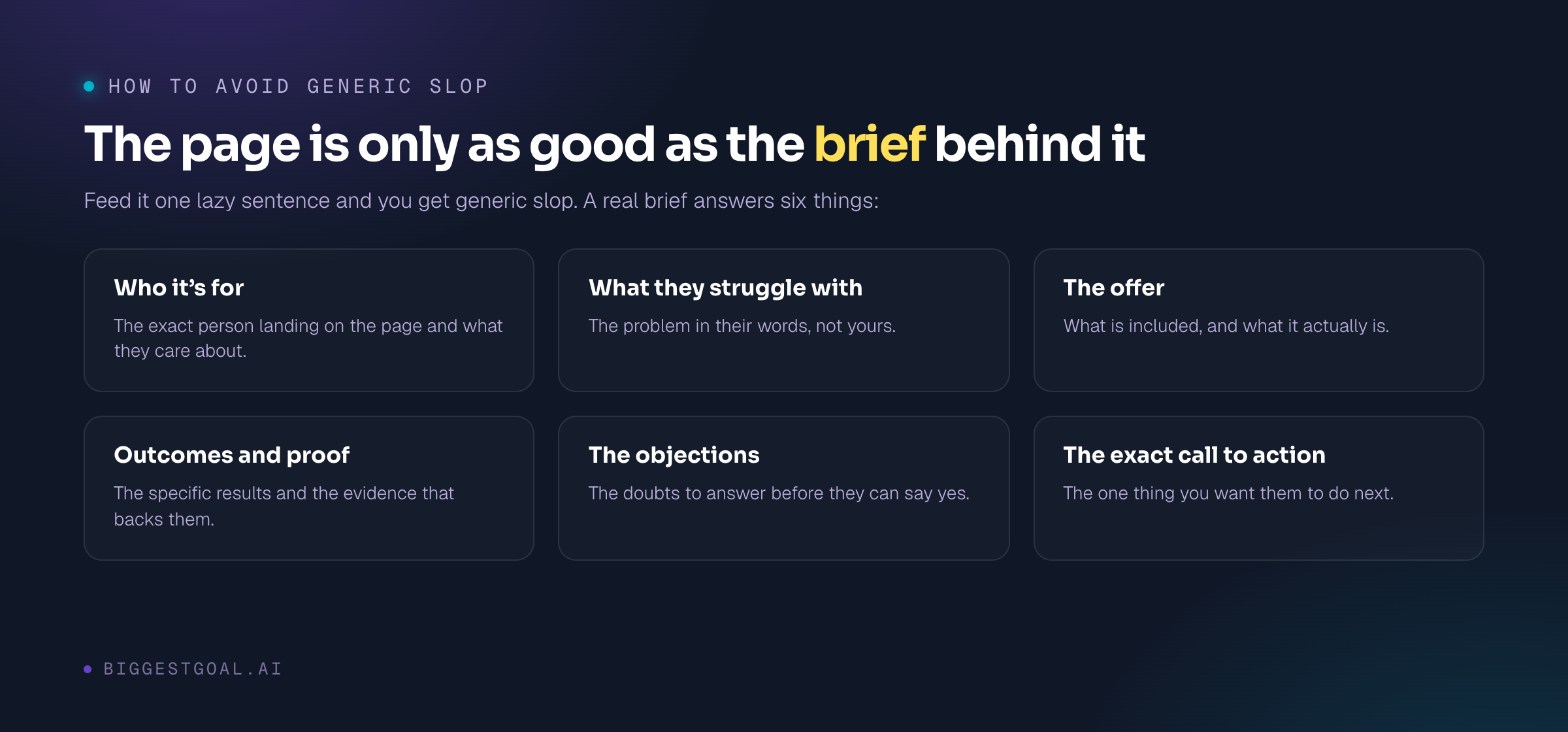
The quality of the page is set by the quality of the context you give it.
Ask Claude to "build me a landing page for a Claude masterclass" and you'll get exactly what that prompt deserves: a generic, lifeless page that could belong to anyone. The tool did nothing wrong. You handed it almost nothing to work with.
The document we point the Skill at is the difference.
Who the page is for. What they're struggling with. The offer and what's included. The specific outcomes and proof. The objections to answer. The exact call to action. The more real context in that document, the sharper and more specific the page.
The Skill isn't a magic button. It's a very good operator that still needs to be told what it's building and why. Get the context right, and it's excellent. Feed it one lazy sentence, and it will still follow the Skill's steps, but build you something useless.
It's flexible
For a small variation on a page (a different layout, a new section, a tweak to the flow), we just ask Claude Code to make the change. It's a conversation, not a project.
For a genuinely new kind of page, we go back to the start: Design it properly in Claude Design, work through it with Claude Code until it's right, and then capture that as its own skill.
Over time, you don't end up with one landing-page button. You build a small library of proven, repeatable page types, each one a process you got right once and never have to rebuild.
Keep boundaries
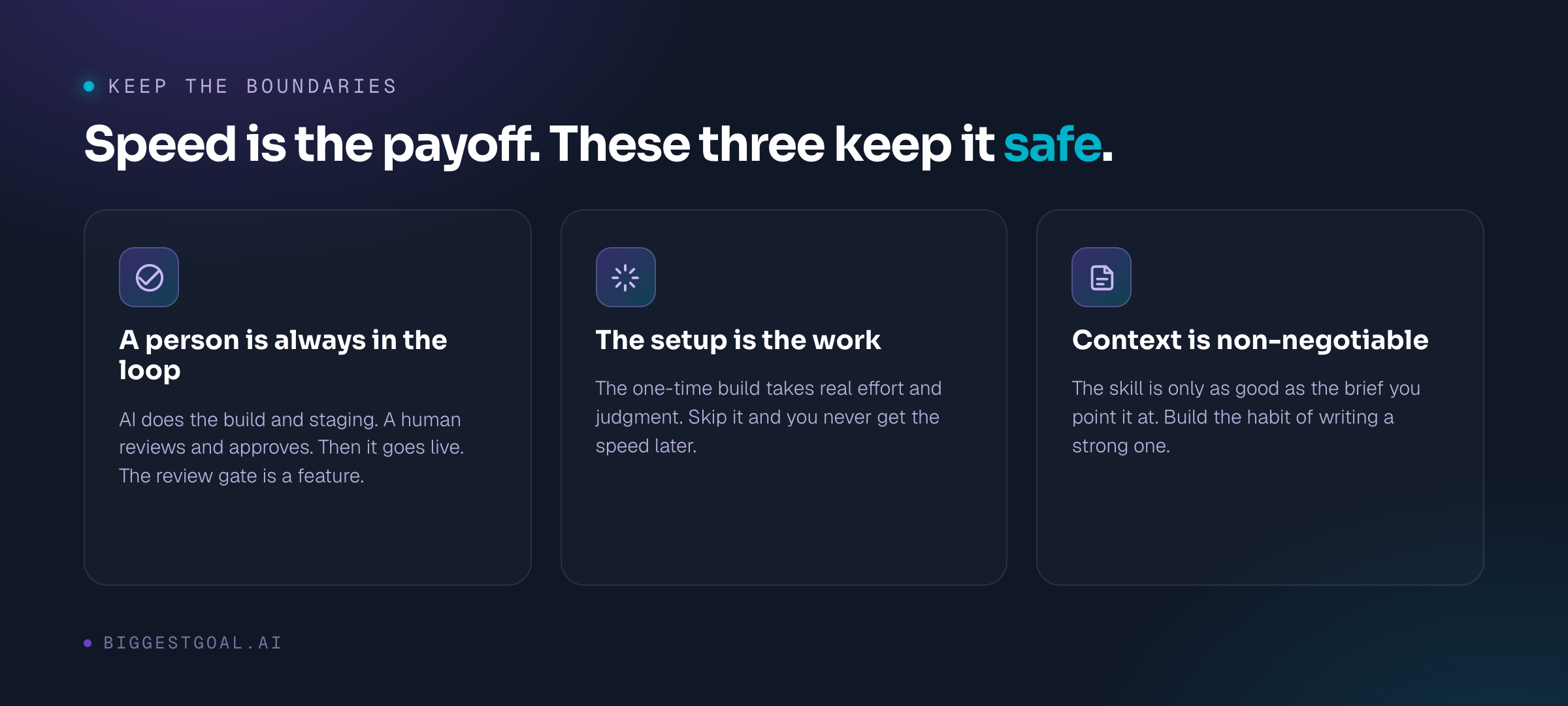
A person is always in the loop. This isn't "AI runs the website." It's "AI does the build and staging, a human reviews and approves, then it goes live." The review gate is a feature, not a limitation.
The setup is the work. The one-time build (design system, first page, turning it into a skill) takes real effort and judgment. If you skip it, you don't get the speed later. The payoff is entirely downstream of that front-loaded work.
Context is non-negotiable. The skill is only as good as the context you point it at. Building a habit of writing a strong page brief matters.
Reading between the lines
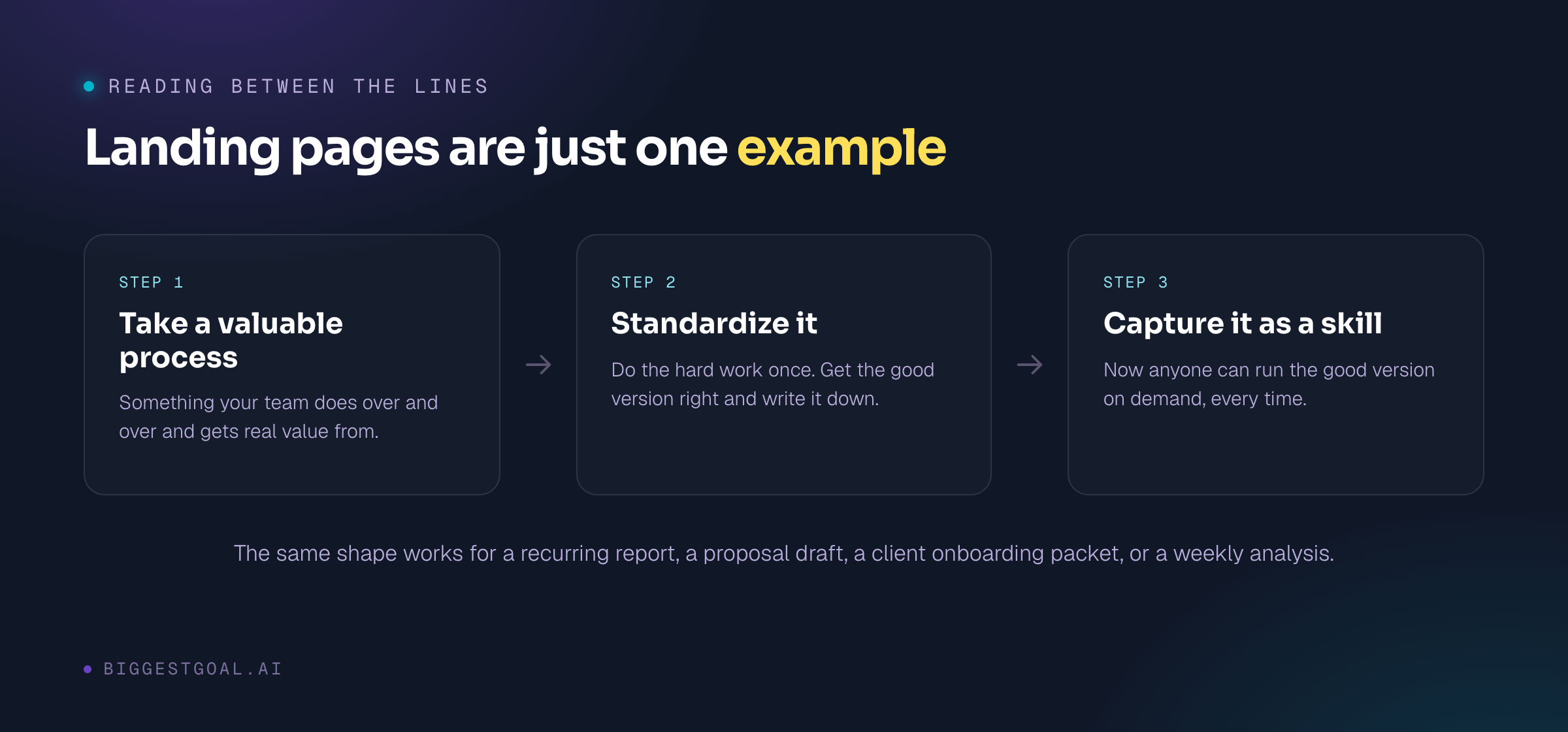
By all means, set up a Webflow account and follow this process to get websites and landing pages built in minutes. But there's a pattern here, if you read between the lines, that can be applied to almost any workflow in your operations...
Take a valuable process
Standardize it
Capture it as a skill so anyone can run the good version on demand.
Landing pages are just one example.
The same shape works for a recurring report, a proposal draft, a client onboarding packet, and a weekly analysis.
The teams pulling ahead are the ones who stopped re-explaining the same task over and over and started turning their best processes into repeatable assets.
Deploying this to your team
This landing-page pipeline is one we use all the time, and the approach behind it, turning a proven process into a repeatable skill, is exactly what we help teams do with their own work.
If you're looking at a task your team does again and again and thinking "we should systematize that," that's the conversation. Grab a free 30-minute session with one of our experts, and we'll help you find the first process worth turning into a skill.
Know someone who'd find this useful?
Forward this to a colleague who's still treating every landing page (or report, or proposal) as a one-off project. They can subscribe at your.biggestgoal.ai to get our briefings daily.