[AI Special Report] Teach Claude a Skill by Recording Your Screen
This is the same thing we had our clients do any time we needed them to communicate how they run a specific process: record your screen while you do a task, narrate what you're doing as you go.
The difference is that instead of someone else reviewing the video and designing a repeatable process, now Claude turns the recording into a reusable Skill that you can call at any time.
Running a business is all about systems, and Skills puts creating systems on Easy Mode. Now, Claude has put creating the Skills themselves on Even Easier Mode (not that it was too difficult without this feature!)
Skills
A skill is basically plain-English instructions for AI (think "saved prompt"). Claude, or any other AI, can follow those saved instructions the same way every time.
But skills can go beyond just being a single text file. They can actually be a bundle of files, and this bundle can contain things like:
Templates
Python scripts
References
Boilerplates
Examples
Design systems
Personas
And more
With a skill, you only have to write it once, so you never have to re-explain the process. "Here's how we format the weekly sales report." "Here's how we rename and file incoming invoices." "Here's how we turn a call transcript into a follow-up email and a task list." Write it down once, and have AI run through that same process, using the resources in the skill, over and over again.
What's sometimes misunderstood is that the Skill isn't always 100% processed by AI.
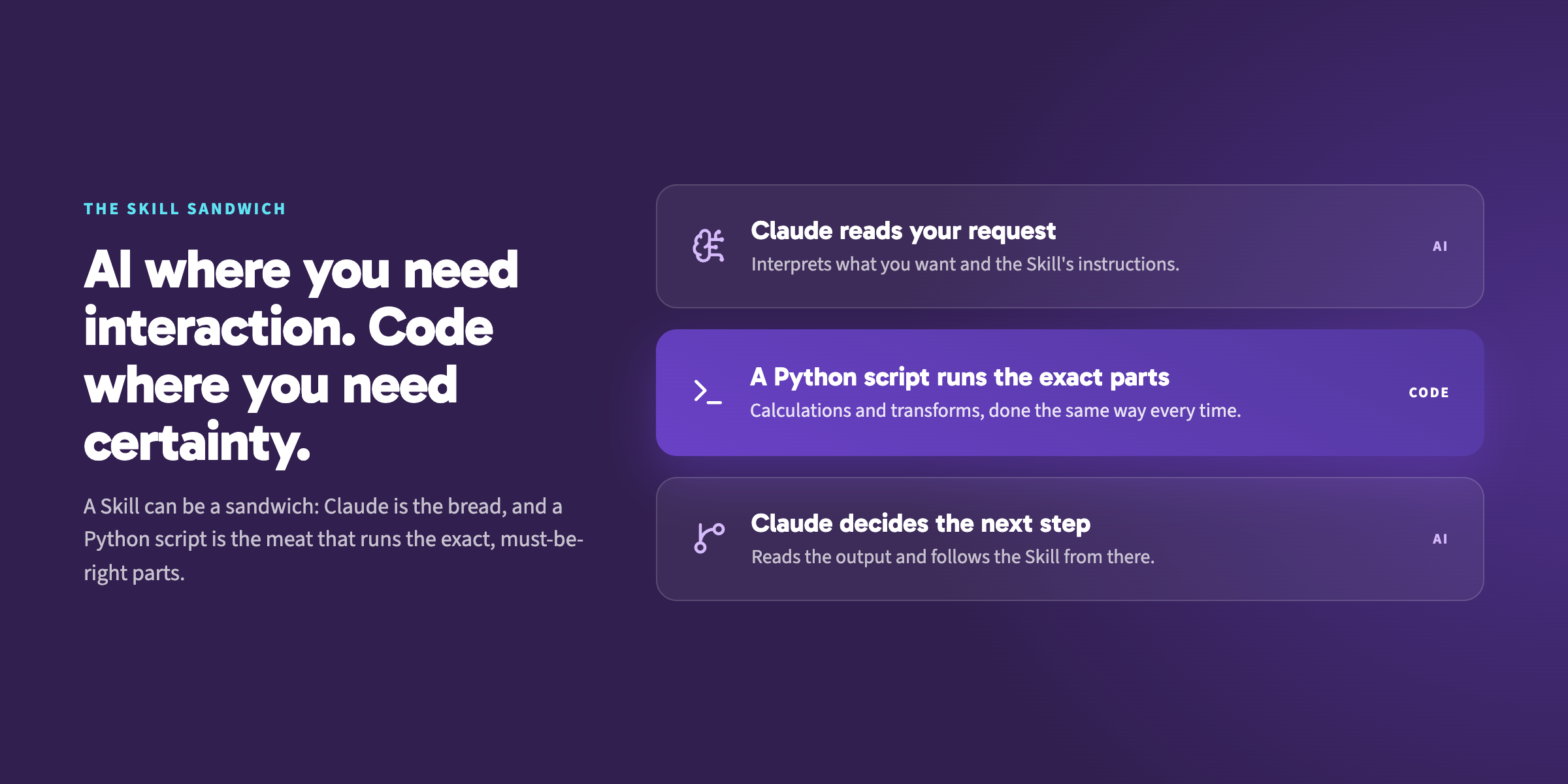
You can create a Skill sandwich where AI acts as the bread and the meat and cheese are handled outside the AI model, usually by a Python script.
Here's how it works:
You trigger the skill with Claude, and it reads your request and the skill's instructions
If applicable, Claude can choose to run a Python script bundled inside the skill (deterministic code that does the exact same thing every time)
Claud takes the output from that script and decides what to do next based on the steps written in the skill file.
That matters because it puts the right tool on each part of the job.
The parts that must be exact (a calculation, a data transform, pulling a number from a file, validating a format) run as real code, so they're reliable and repeatable.
The parts that need flexibility (interpreting your request, reading the result, choosing the next step) run on AI. You get the support of AI with the reliability of code, stitched together in one process (Skill), instead of hoping the model gets the math right every time.
Work is turning into "skills-first"
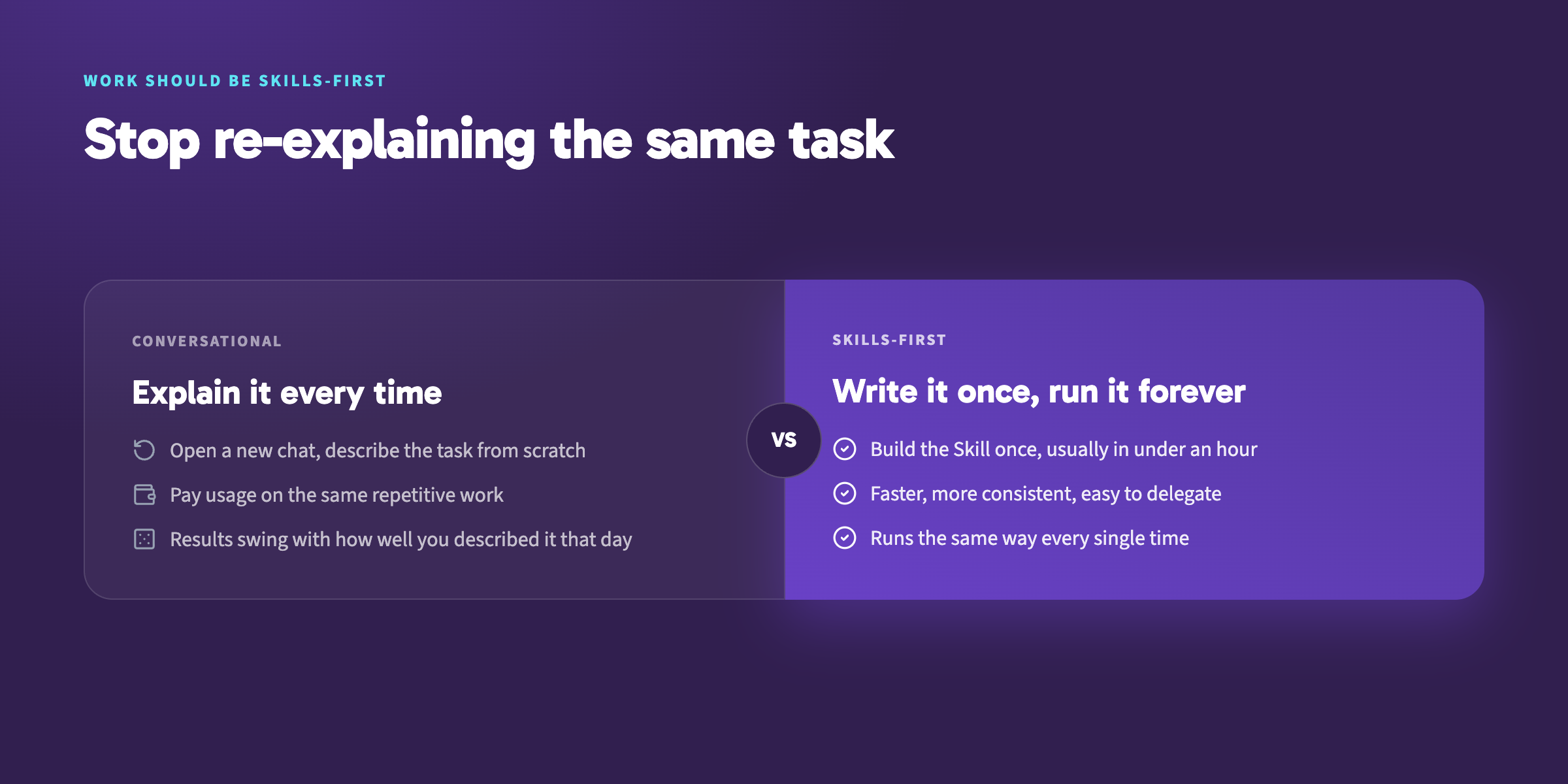
Most people still use AI conversationally. They open a chat, explain what they need, get a result, and then next week they open a new chat and explain the same thing all over again. It works, but you're paying usage on a LOT of repetitive work every single time -- and you're at the mercy of how well you described it that day.
Skills-first is a different habit. Instead of asking "how do I get AI to do this thing right now," you ask "what do I do over and over that I can turn into a Skill?" You then spend a little time creating the Skill (most can be created in < 1 hr), and then the task gets faster, more consistent, and more easily delegated in perpetuity.
Landing page creation, a recurring report, a proposal draft, a client onboarding packet, a weekly analysis, a file-naming convention: they all are perfect candidates for Skills.
The teams pulling ahead are the ones who stopped re-explaining the same task and started turning their best processes into repeatable Skills.
Teaching Claude
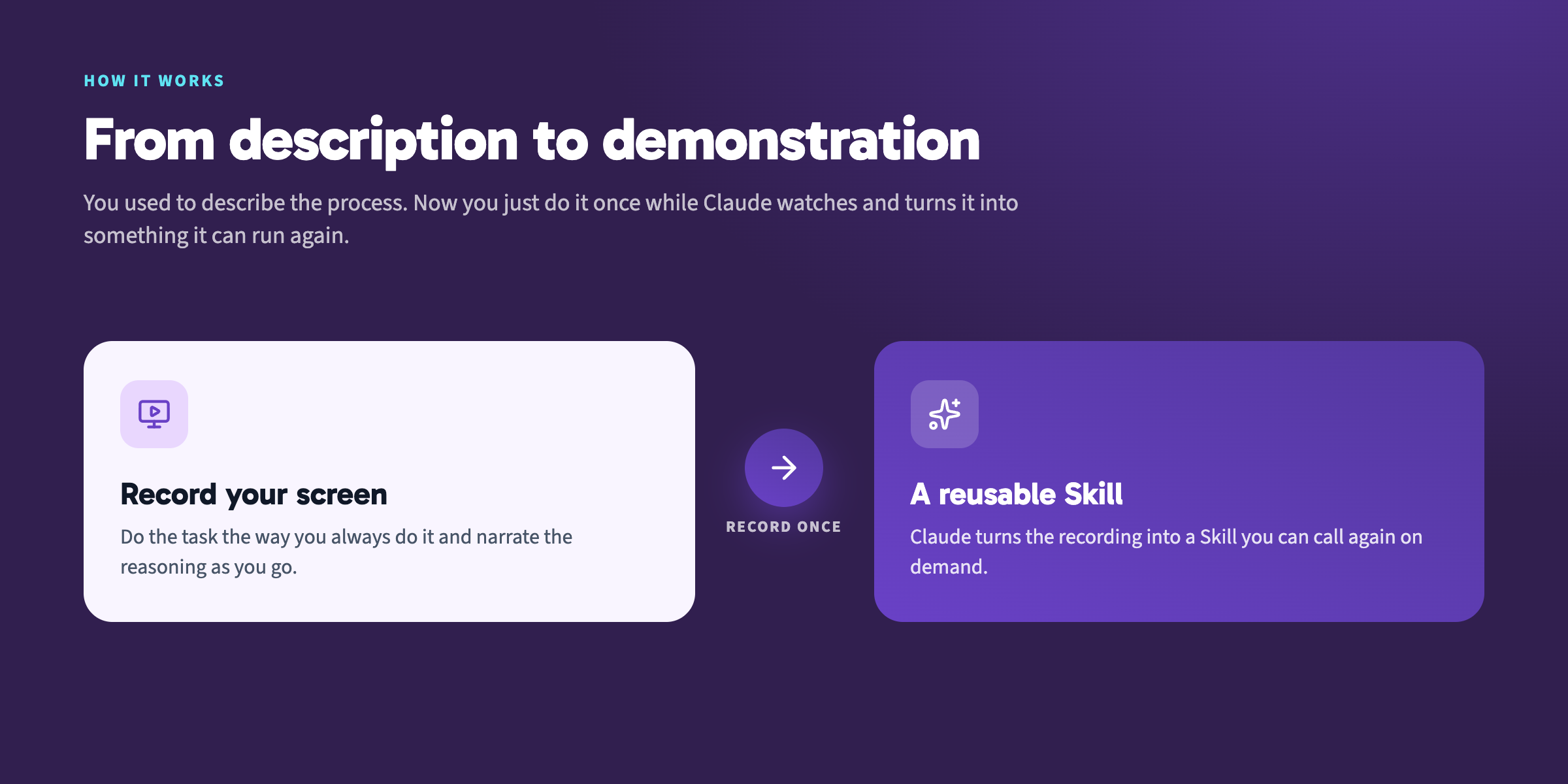
Teach Claude a skill feature (you'll find it labeled Record a skill in the app) lets you build a skill by demonstration instead of description.
You start a recording, do the task on your own screen the way you always do it, and talk through your reasoning as you work. Claude captures the whole thing: the screen activity, your clicks, your typing, and your voice narration. When you stop, Claude analyzes that sequence and turns it into a skill it can run again later.
The narration matters as much as the clicks. The recording shows Claude what you did; your voice explains why. "I always check this column against last month before I send it." "If this field is blank, skip that step." "We never publish without a second set of eyes." That reasoning is exactly the stuff that usually lives only in your head, and it's what separates a skill that actually works from one that mechanically repeats motions.
It's the same idea behind grabbing a new hire, screen-sharing, and saying "here, let me show you how we do this." Except you only have to do it once, and the trainee never forgets.
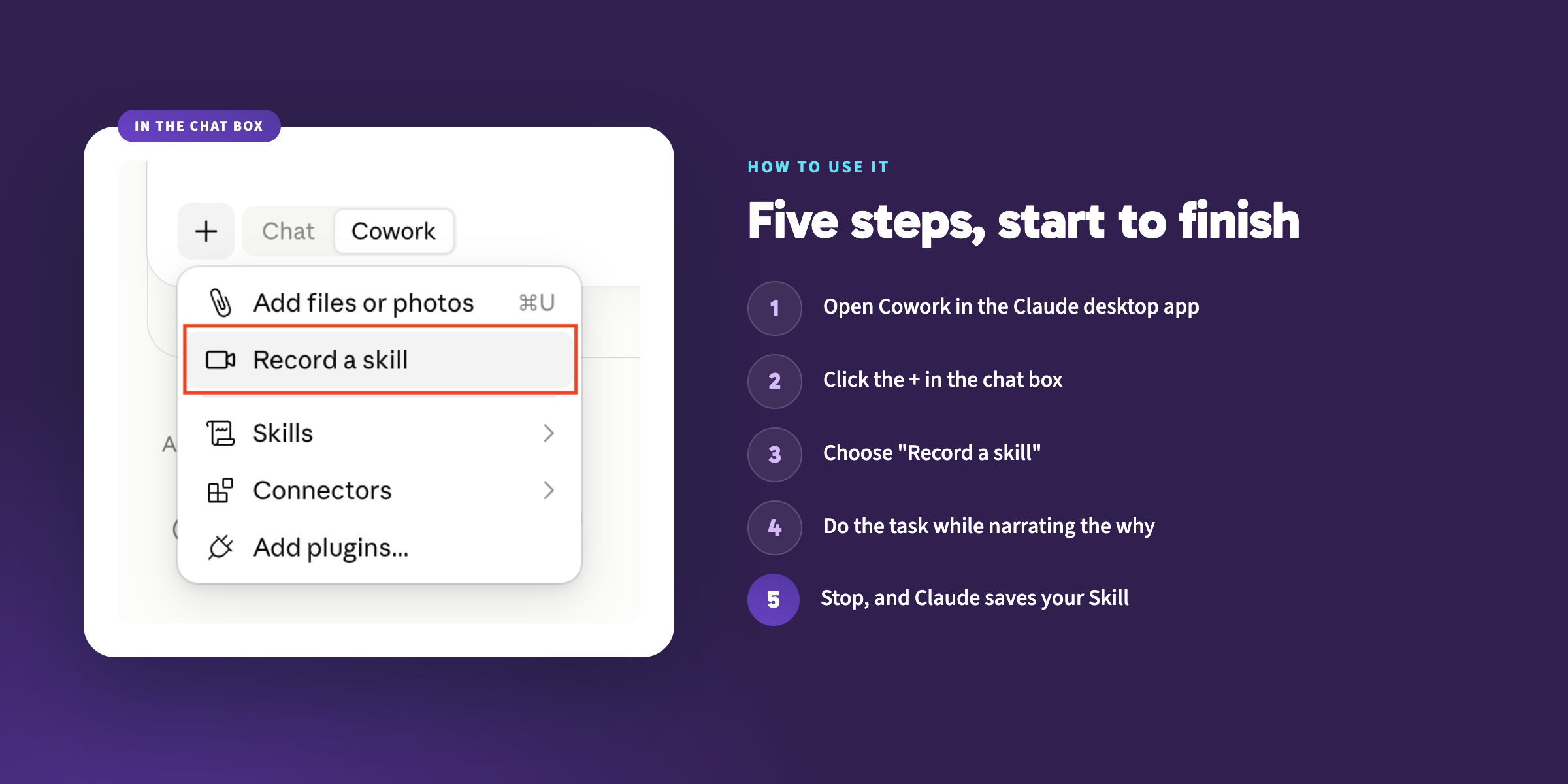
It's very simple:
Open the Claude desktop app on your Mac or Windows machine and go into Cowork.
Click the + button in the chat box (the same menu you use to add files or photos).
Choose Record a skill.
Start recording, then do your task while narrating what you're doing and why.
Stop the recording. Claude processes it and saves the result as a skill you can run again.
A few practical tips, drawn from how we've learned to build skills the manual way:
Pick a real, repeatable task, not a one-off. The payoff comes from things you'll run again: the weekly report, the monthly reconciliation, the standard file cleanup.
Narrate the judgment, not just the motions. Say the "why," the exceptions, and the checks. That's the difference between a skill that's genuinely useful and one that just parrots your clicks.
Do a clean run. Try to complete the task start to finish the correct way, since that's the version Claude will learn as the default.
Identify possible issues. Mention things to look out for. Claude will incorporate those edge cases into the Skill itself.
Review what it built and test it. Treat the first run as a draft. Run the skill on a fresh example, see where it drifts, and refine. A Skill is something you tune over time and use, not a one-and-done recording.
Don't write it by hand
The entire Skill bundle can be developed by Claude (with your guidance). You never have to touch the code or the instruction files yourself.
Whether you record a skill or just ask Claude to build one in a chat, Claude writes everything for you: the SKILL.md, any Python scripts, the templates, the examples, and then packages the whole bundle.
You don't need to know Markdown, you don't need to write a line of Python, and you don't need to understand how the pieces are wired together. Claude assembles it, then gives you a preview and a "Save Skill" button that you can press to activate the skill in your Cowork.
What you do need to bring is judgment, and that's the one thing you should not hand to the AI.
You are the one who decides what a good output looks like, which steps are non-negotiable, where the checks belong, and what "done right" actually means for this task.
Claude can build the skill; it can't tell you whether the skill is producing the result your business actually needs.
In other words: Claude does the assembly, you own the standard.
Design the skill around the outputs you genuinely want, be specific about the rules and the exceptions, and review what it produces before you rely on it. Get that right, and you have a repeatable process you can trust. Skip it, and you've automated a vague idea of the task, which is often worse than doing it by hand.
The benefits
Skills shorten the distance between "I have to do all the heavy-lifting before I can get to the real work" (judgment + decisions) and "Claude can minimize the time-consuming, tedious, and data-intensive steps for me".
With this new feature, you don't have to be good at prompting.
You don't have to write instructions or think like an engineer.
You don't have to describe your process in the abstract, which is genuinely hard, since half of what you do is muscle memory you've never put into words.
You just do the task the way you already do it, explain yourself the way you would to a colleague, and let Claude take it from there.
Knowledge that was previously trapped in someone’s head becomes something the whole team can run. And it compounds.
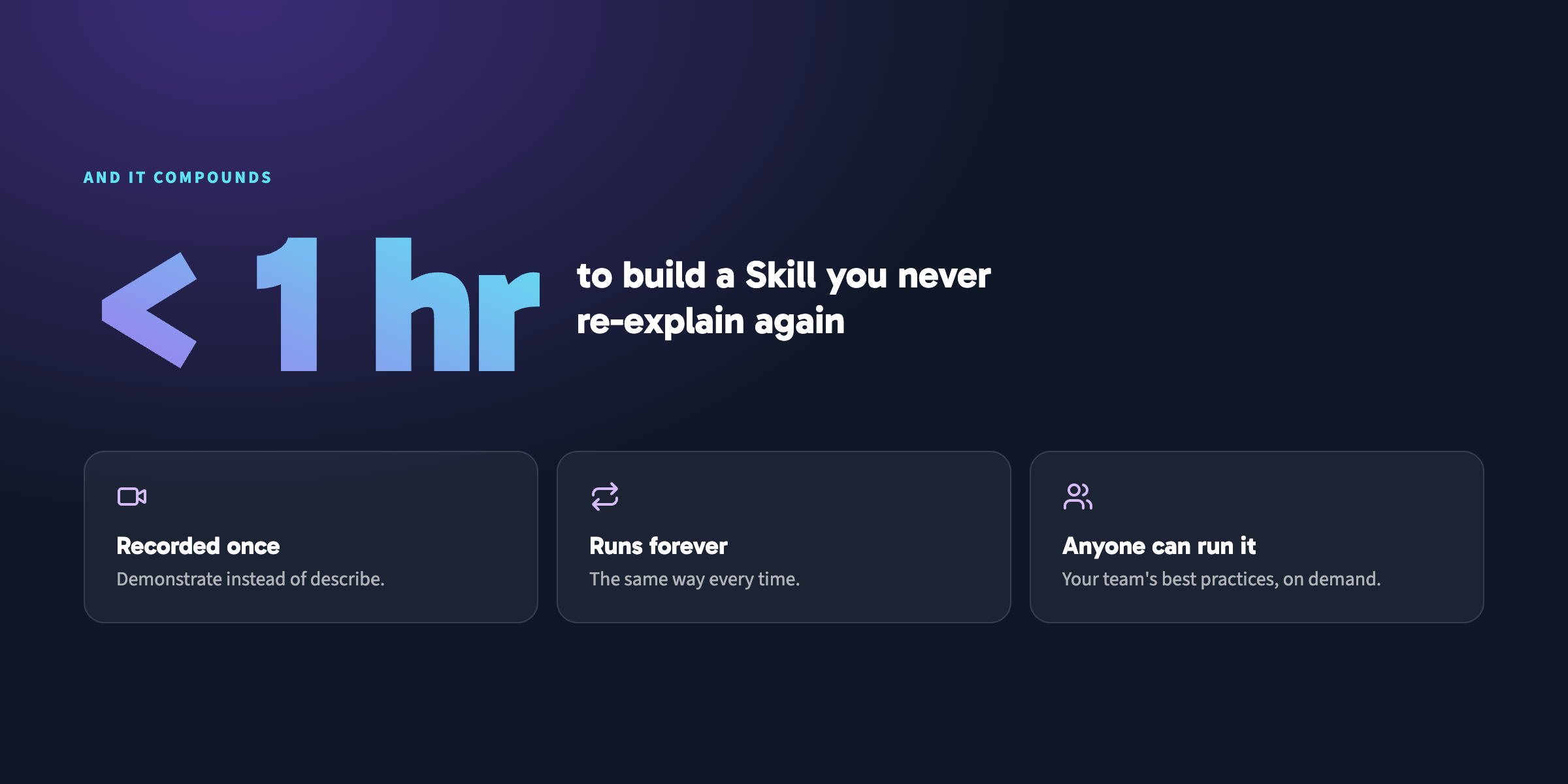
Every skill you record is one more task you don't have to re-explain, one more process that runs the same way whether you're the one doing it or not.
Do this across a dozen recurring tasks, and you've quietly built a library of your team's best practices that Claude can execute alongside your team and on demand.
Answers to common questions
Where Skills live: A saved personal Skill for Claude Cowork is saved in a specific folder on your machine, outside of the working folders you run Cowork Tasks in.
Who has it: It's available in the Pro, Max, and Team plans. It may not appear in your account the moment you look. If it's not there yet, it's likely on the way.
When it landed: Anthropic announced it on July 21, 2026, via Claude's official account. It's brand new, so expect it to get refined.
It's part of a direction things AI is heading. Anthropic keeps positioning Cowork as less of a chatbot and more of a digital teammate, and "learn by watching me once" is a very teammate-like move. It's also not unique to Claude: OpenAI added a comparable record-and-replay capability to its Codex tool, which tells you this "show, don't tell" approach to teaching AI is becoming a standard way of working, not a one-off thing.
Yes, you need to keep a person in the loop. As with any skill, a recording captures what you showed it, including any mistakes or shortcuts. Review the skill it produces, test it on a real example, and keep a human check on anything that touches money, customers, or publishing. The review gate is important.
Takeaways
Since AI hit the mainstream, the bottleneck has been translating what you know into something the model can reliably repeat.
"Teach Claude a skill" attacks that bottleneck directly by letting you demonstrate instead of describe.
If you've been meaning to systematize the tasks you do over and over but never found the time to write it all down, the excuse just got a lot weaker.
Show Claude while you are executing the actual process you want it to repeat. It takes very little extra time than the work you are already doing.
Know someone who'd find this useful?
Forward this to a colleague who's still re-explaining the same task to AI every week. They can subscribe at your.biggestgoal.ai to get our briefings daily.