[AI Special Report] Protecting Focus Time is a Leadership Job
Rolling out AI has done the same thing that all previous tech did: people working across more things have increased while focus time has decreased.
And focus time is what I want to focus on for this article.
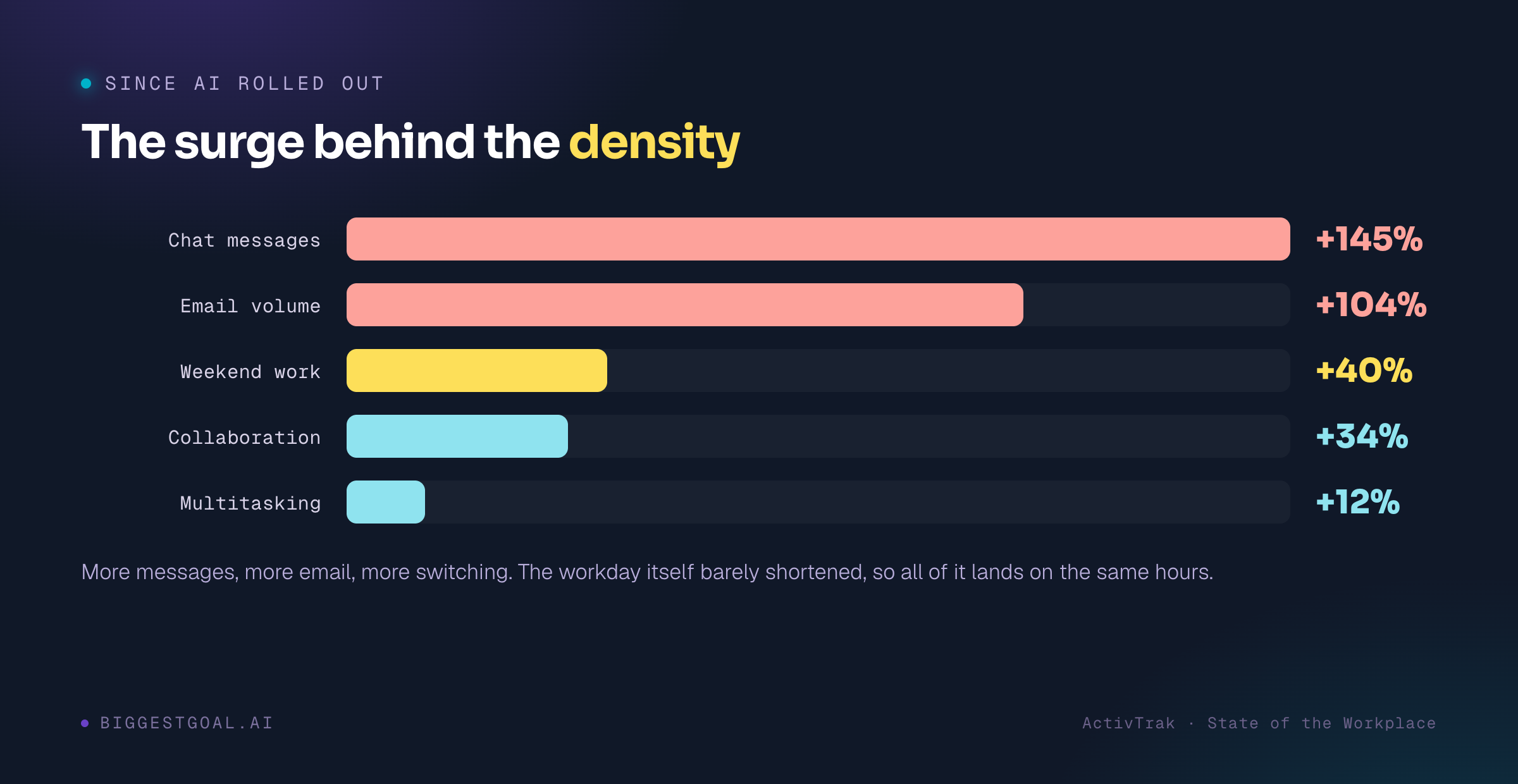
According to the data, focus efficiency fell to a three-year low of 60%, and the typical uninterrupted work session shrank to just 13 minutes. Weekend work climbed more than 40%.
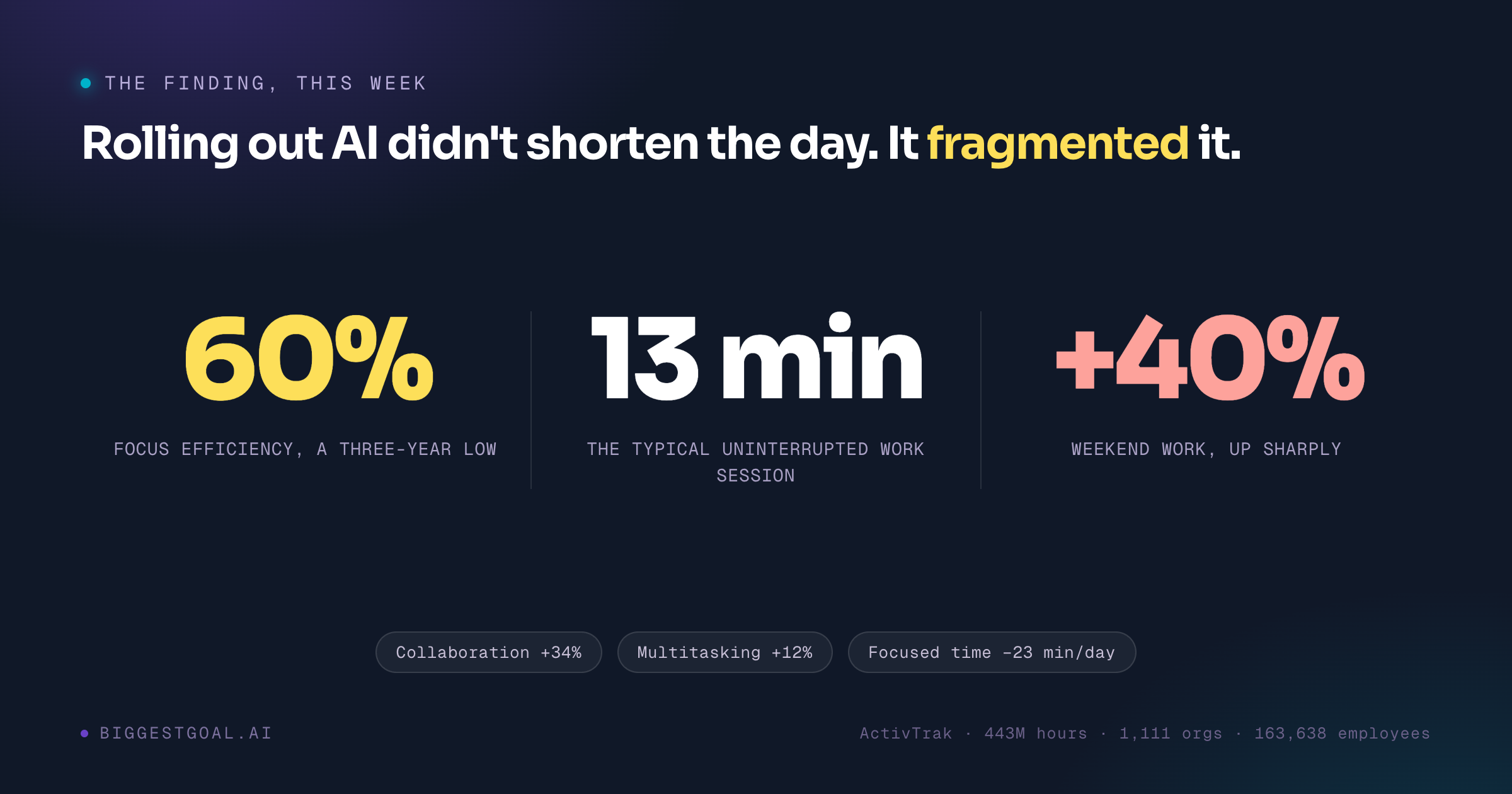
13 f'ing minutes.
This is not an article about AI. AI is just a tool in the toolbox. And if you use any tool incorrectly, you can get a bad result. Just try to unscrew something with a pair of scissors, and while you're at it, hold them by the blade.
This is an article about leadership. If you're in a leadership position, you need to ask yourself: Do I value my team's focus time (or not)?
Why "faster" quietly becomes "more"
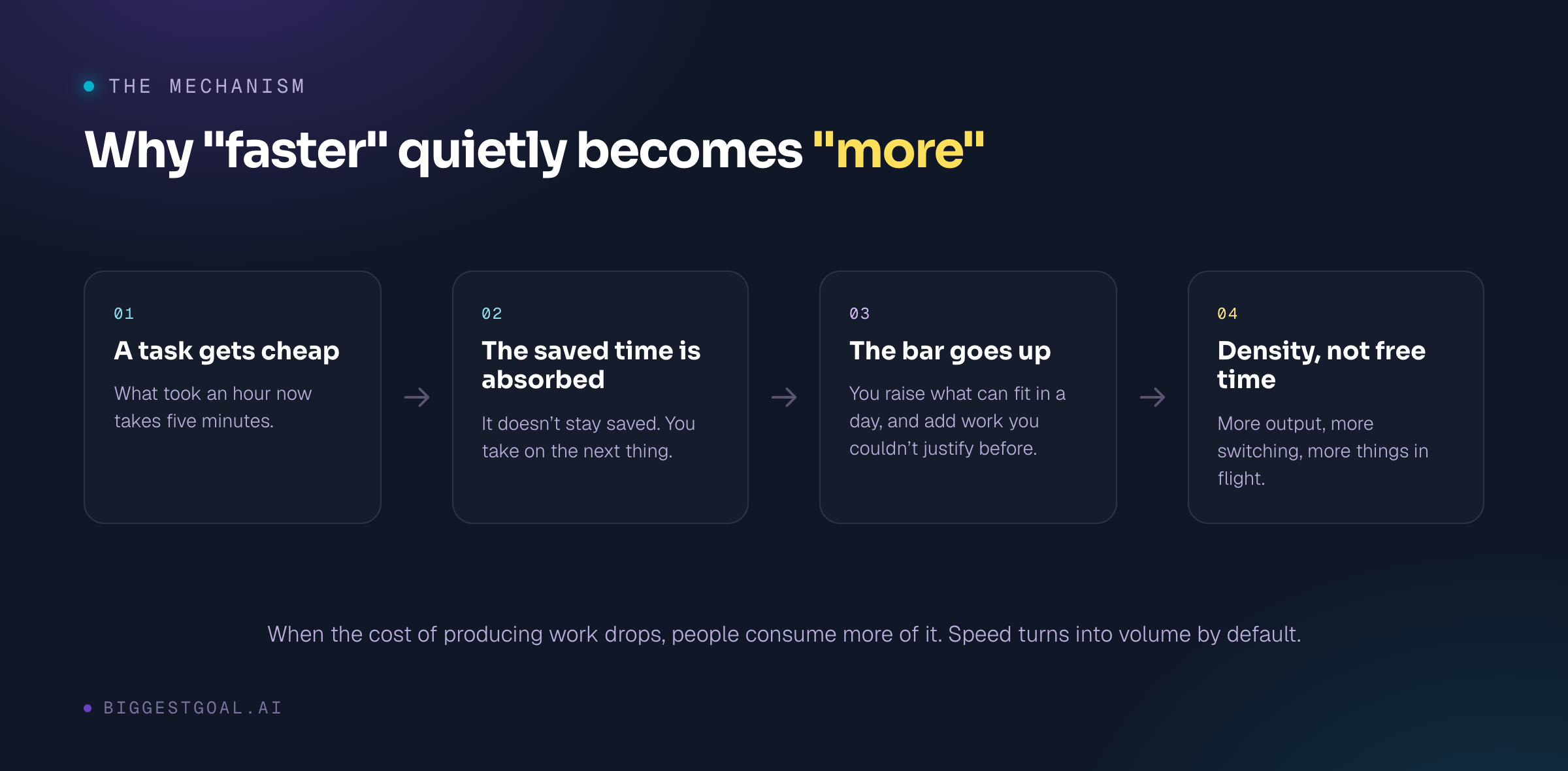
When a task that took an hour now takes five minutes, the time you saved doesn't stay saved. It gets absorbed. You take on the next thing. You add a task you couldn't have justified before. You raise the bar on what can fit in a day.
AI lowers the cost of producing work, and when the cost of anything drops, people consume more of it. So the output goes up, the pace goes up, and the number of things you're juggling goes up right along with it.
That's the mechanism behind the ActivTrak numbers. Collaboration rose 34%. Multitasking rose 12%. People aren't busier by accident. They're doing a larger variety of things, faster, which means more switching between them.
What happens when you lose focus
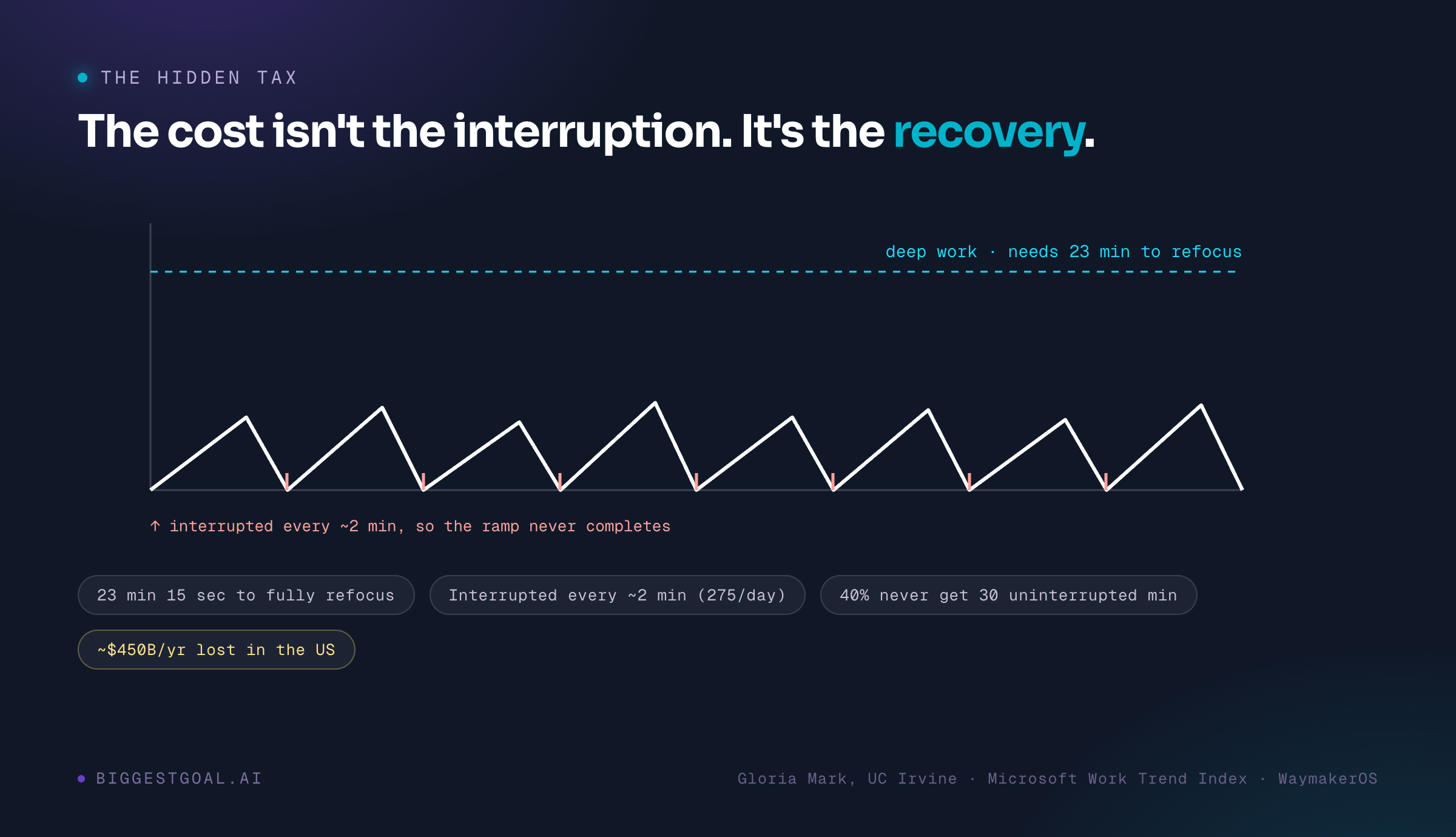
The reason a fragmented day is so expensive isn't the interruption itself. It's the recovery.
A landmark University of California, Irvine study by Gloria Mark found it takes an average of 23 minutes and 15 seconds to fully refocus after an interruption. And it's not just lost time; it's degraded quality: a piece of your attention stays stuck on the previous task even after you switch, an effect researchers call "attention residue."
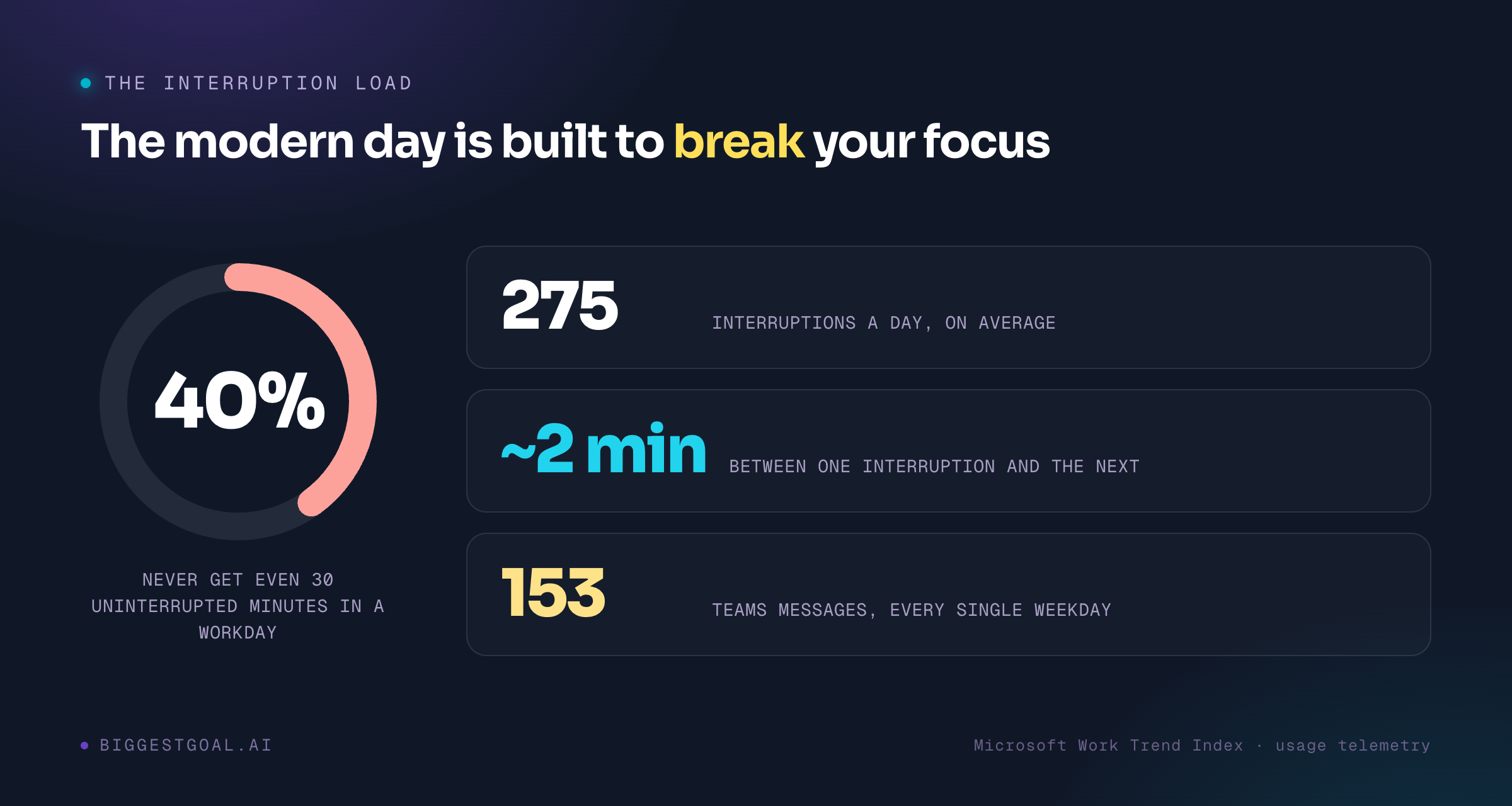
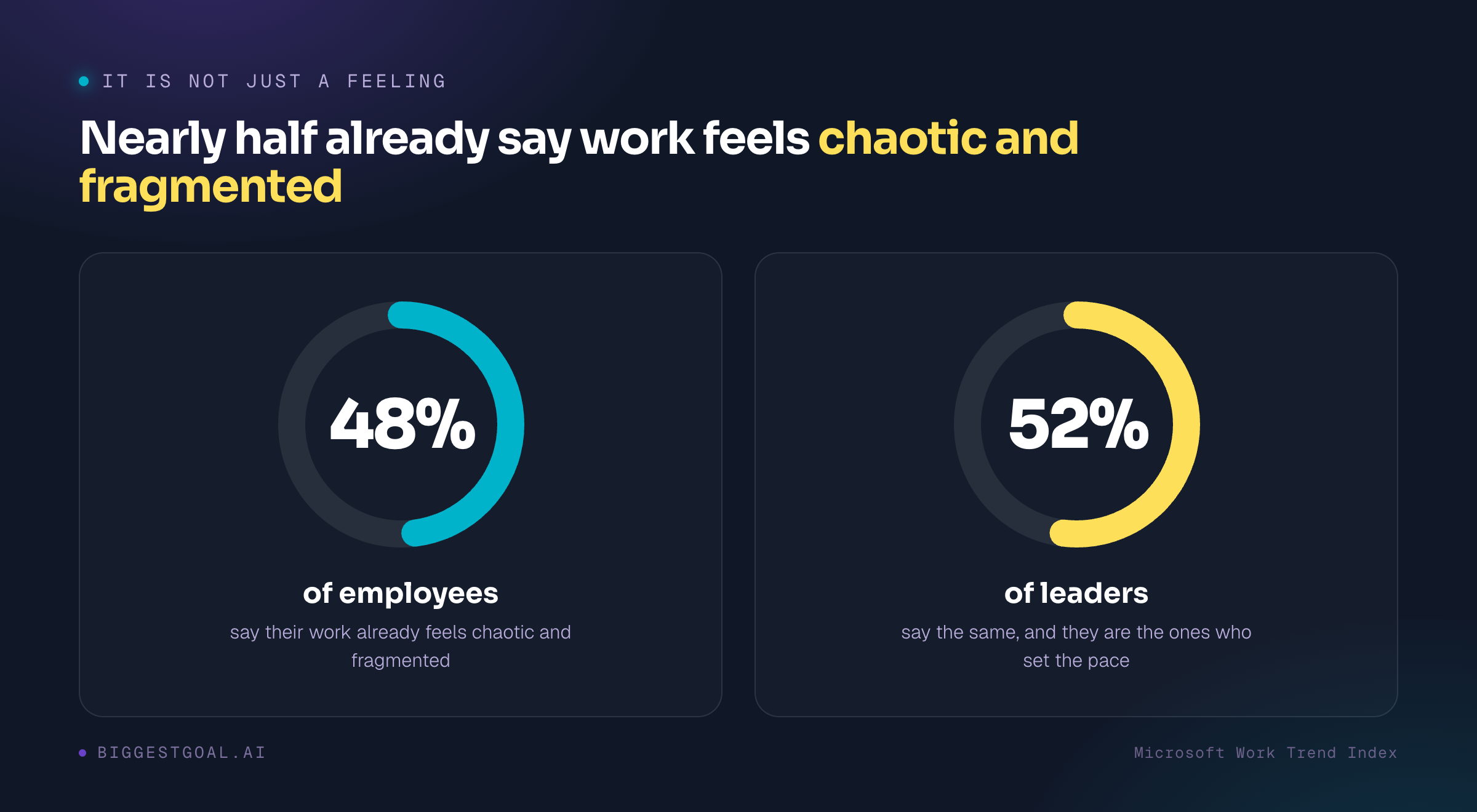
Now layer that onto how the modern workday already runs. Microsoft's Work Trend Index, drawn from its own usage telemetry, found the average knowledge worker is interrupted every two minutes by a meeting, message, or notification, roughly 275 times a day. Forty percent never get even 30 uninterrupted minutes in a workday. Nearly half of employees and more than half of leaders say their work already feels chaotic and fragmented.
Put those two facts together, and the problem is obvious. If it takes 23 minutes to refocus and you're interrupted every few minutes, deep work never actually happens. You spend the day perpetually trying to start tasks, never fully settling into them.
Estimates put the cost of this kind of context switching at around $450 billion a year in lost US productivity.
AI, deployed carelessly, pours fuel on exactly this fire 🔥.
More output means more to review, more messages, more handoffs, more notifications, more things demanding a slice of attention.
Faster tools in a fragmented day don't create focus. They create more fragments.
We've watched this movie already: Slack and Teams
If this pattern feels familiar, it should. Real-time messaging apps like Slack and Teams did the same thing.
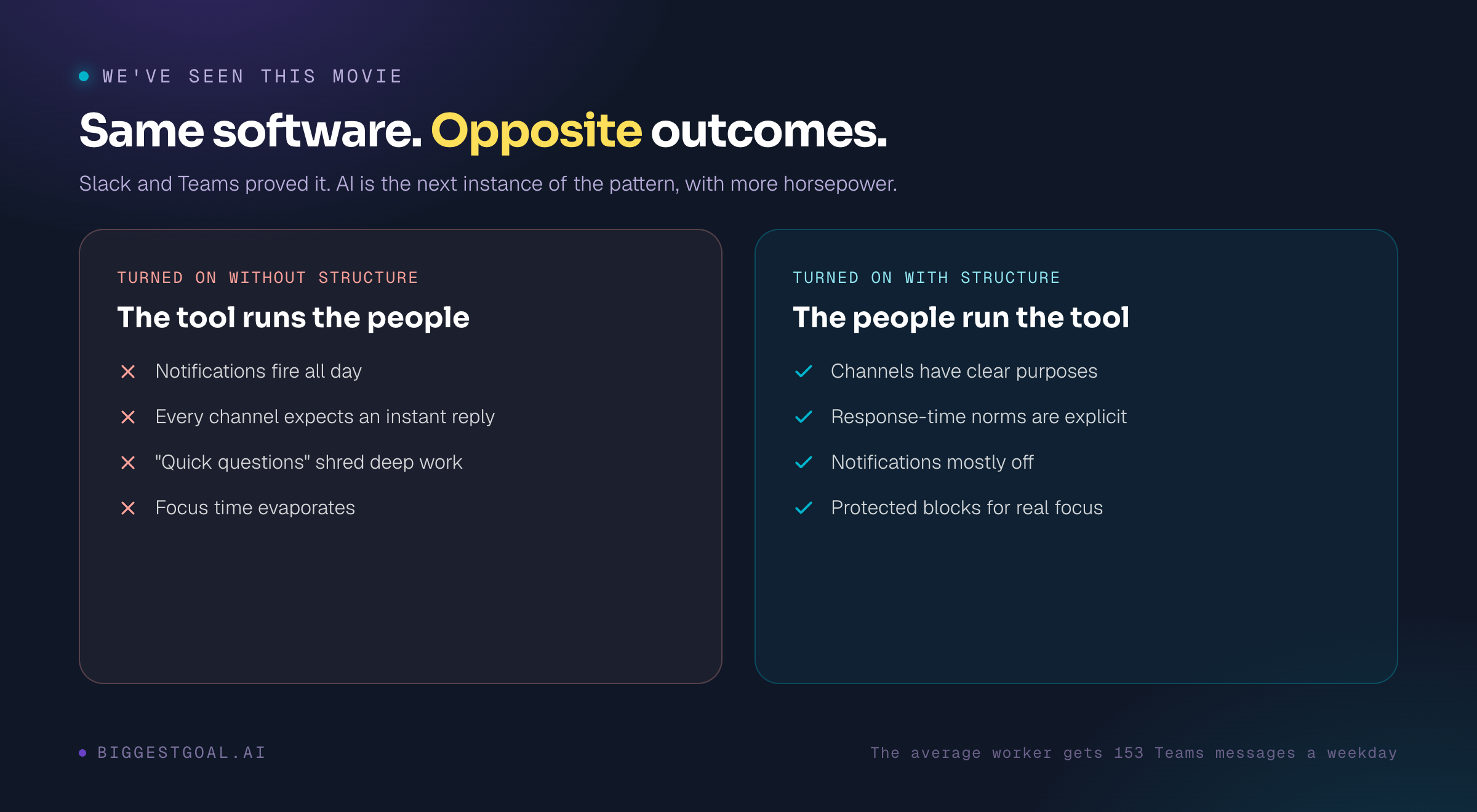
Slack and Microsoft Teams were sold as tools to streamline work and reduce email. Used well, they do. But most organizations didn't decide how to use them. They just switched them on. And the result, for a lot of teams, is an always-on stream of pings, notifications, and alerts that shreds focus worse than the email it replaced.
The average worker now gets 153 Teams messages a weekday on top of everything else. The tool isn't the problem. The absence of any shared agreement on how to use it is the problem.
Let's look at how the same tool can produce opposite outcomes:
Turned on without structure: notifications fire all day, every channel expects an instant reply, "quick questions" interrupt deep work constantly, and focus time evaporates. The tool runs the people.
Turned on with structure: channels have clear purposes, response-time norms are explicit (real-time is for urgent matters, not the default), notifications are mostly turned off, and there are protected blocks where people aren't expected to be watching chat. Focus is preserved and improved.
Same software. Wildly different experience. The variable was never the tool. It is that leadership designed a way of working with it.
AI copies this exact pattern, only with more horsepower.
A powerful tool amplifies whatever culture you develop. Deploy it into a chaotic, interrupt-driven culture, and you get more, and faster, chaos. Deploy it into a culture that protects focus, and you get more done with protected focus time.
The tool doesn't decide the outcome. You do.
This is the whole point: a tool's value comes from how it's used, not from what it can do.
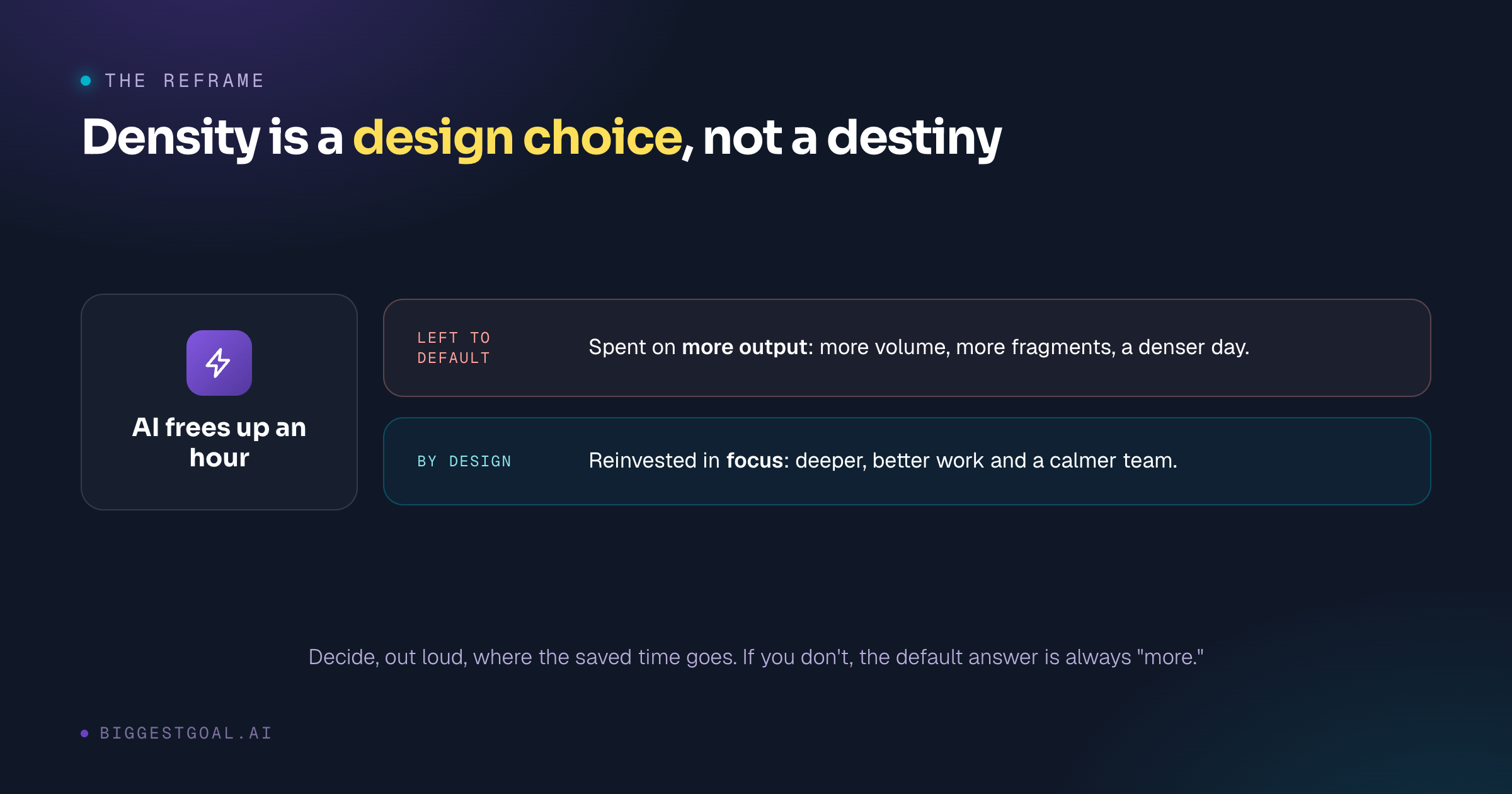
AI can absolutely give your team back time and help them do better work. It can also make everyone busier, more scattered, and more burned out. The technology is the same in both cases. What differs is the design, the set of decisions leadership makes about how the tool fits into how the team is supposed to work.
If you hand your team powerful AI with no guidance, the natural gravity is toward "more." More output, more speed, more things in flight, more interruptions to keep up with it all. That's not a hypothetical; it's what the ActivTrak data shows is happening right now across hundreds of organizations. Left to default, AI makes the day denser.
Density is a design choice, not a destiny. If you explicitly decide that some of the time AI frees up is reinvested in focus rather than in more volume, you'll get a different company.
What protecting focus actually looks like
This isn't about banning tools or slowing down. It's about designing how your team works so that the speed AI provides isn't entirely spent on fragmentation.
Here are a few concrete moves:
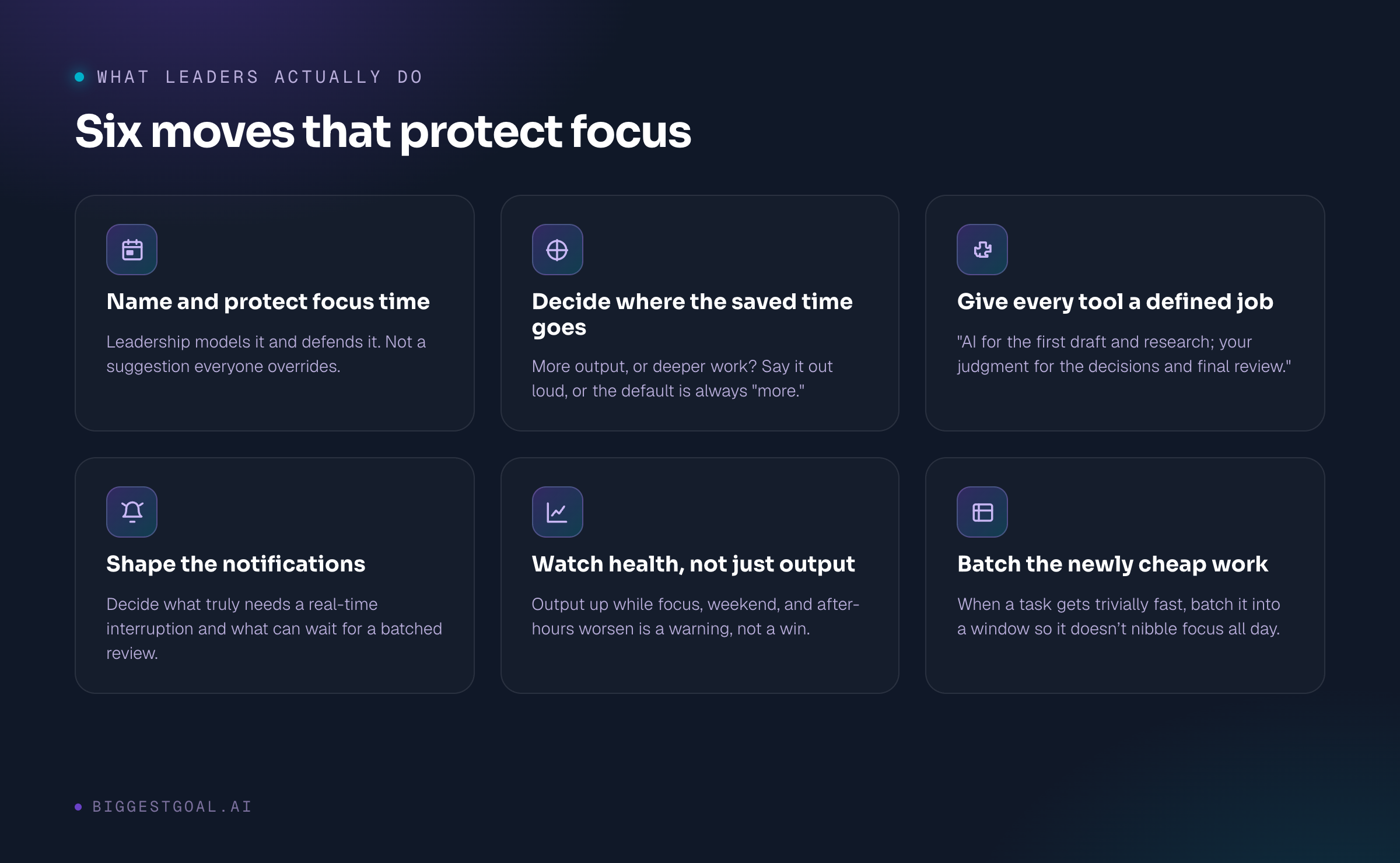
Name focus time as a real thing, and protect it. This only works if leadership models it and defends it, not if it's a suggestion everyone overrides.
Decide, out loud, where the time savings go. When AI frees up an hour, is that hour for more output or for better, deeper work? If you don't answer this, the default answer is always "more output," and the data shows where that leads. Make reinvesting some of it in focus an explicit expectation.
Give every tool a defined job. The Slack and Teams lesson applied to AI: don't roll out a capability with no guidance on when and how to use it. "Use AI for the first draft and the research, use your own judgment for the decisions and the final review" is the kind of shared norm that keeps a tool from becoming a liability.
Shape the notifications, don't let them shape you. More AI activity means more alerts, updates, and things pinging for attention. Decide what genuinely needs a real-time interruption and what can wait for a batched review. Default everything to "urgent," and you recreate the Teams problem with a faster engine.
Watch the health metrics, not just the output metrics. Output going up while focus time, weekend work, and after-hours activity quietly get worse is not a win; it's a warning. You're going to pay for this in turnover, hiring, and employee burnout.
Batch the newly cheap work. When AI makes a task trivially fast, the temptation is to do it constantly and reactively. Often, the better move is to batch it into a set window so it doesn't nibble away at focus all day.
None of these are crazy new ideas; they are simply good leadership decisions to build a strong team and support the long-term health of your organization. It's the same discipline that separated the companies that thrived on team chat from those that drowned in it.
The tools will always change. The principles don't.
What this means for you
If you lead a team rolling out AI, here's the short version:
Expect density, not free time, as the default. Unless you design against it, AI will make your team's days fuller and more fragmented, not lighter. The data is clear on this. Go in with eyes open and decide whether you want to protect focus time.
Treat focus as infrastructure. Deep, uninterrupted work is where your best output comes from, and it's the first casualty of a faster, busier day. Protecting it is now a leadership responsibility, not a personal productivity hack left to individuals.
Design the way of working, then add the tool. Decide how AI is supposed to fit into your team's day (what it's for, where the saved time goes, and how you'll keep focus intact), and then build that into the design.
Don't let the tool run the team. The companies that win with AI won't be the ones with the most capability switched on. They'll be the ones who decide how they want their people to work and use the tool to serve that, instead of reorganizing around whatever the tool makes easy.
AI genuinely is faster. Whether "faster" turns into a calmer, sharper team or a busier, more scattered one is not up to the technology. It's up to you.
From Biggest Goal
If this hit home (your team's getting more done but somehow feels more scattered, and you want AI's speed to buy focus instead of just more volume), that's exactly what we help leaders design. We turn "we have a powerful tool" into "our people know how to use it well, without burning out." Grab a free 30-minute session with me, and I'll map it to your team.
Know someone who'd find this useful?
Forward this to a leader whose team is faster than ever and more frazzled than ever. They can subscribe at your.biggestgoal.ai to get our briefings daily.
Source notes
AI adoption increasing time on work apps (27–346%), email +104%, chat +145%, focused time down 23 minutes, focus efficiency at 60% three-year low, 13-minute focus sessions, weekend work +40%, collaboration +34%, multitasking +12%, workday down ~2%, 443M hours / 1,111 orgs / 163,638 employees: ActivTrak — State of the Workplace · Inc.
Interrupted every 2 minutes (~275/day), 40% never get 30 uninterrupted minutes, 13m7s average focus session, 153 Teams messages per weekday, 48% of employees / 52% of leaders say work feels chaotic and fragmented: Microsoft Work Trend Index — Breaking Down the Infinite Workday
23 minutes 15 seconds to refocus after an interruption, "attention residue" effect (Gloria Mark, UC Irvine): Context switching research summary
Context switching cost to US productivity (~$450B/year): WaymakerOS