[AI Special Report] Context Windows are Growing (and Why You Shouldn't Fill Them)
Google is rolling out Gemini 3.5 Pro this month with a 2-million-token context window, the largest of any model generally available to the public. That's double what OpenAI and Anthropic offer today.
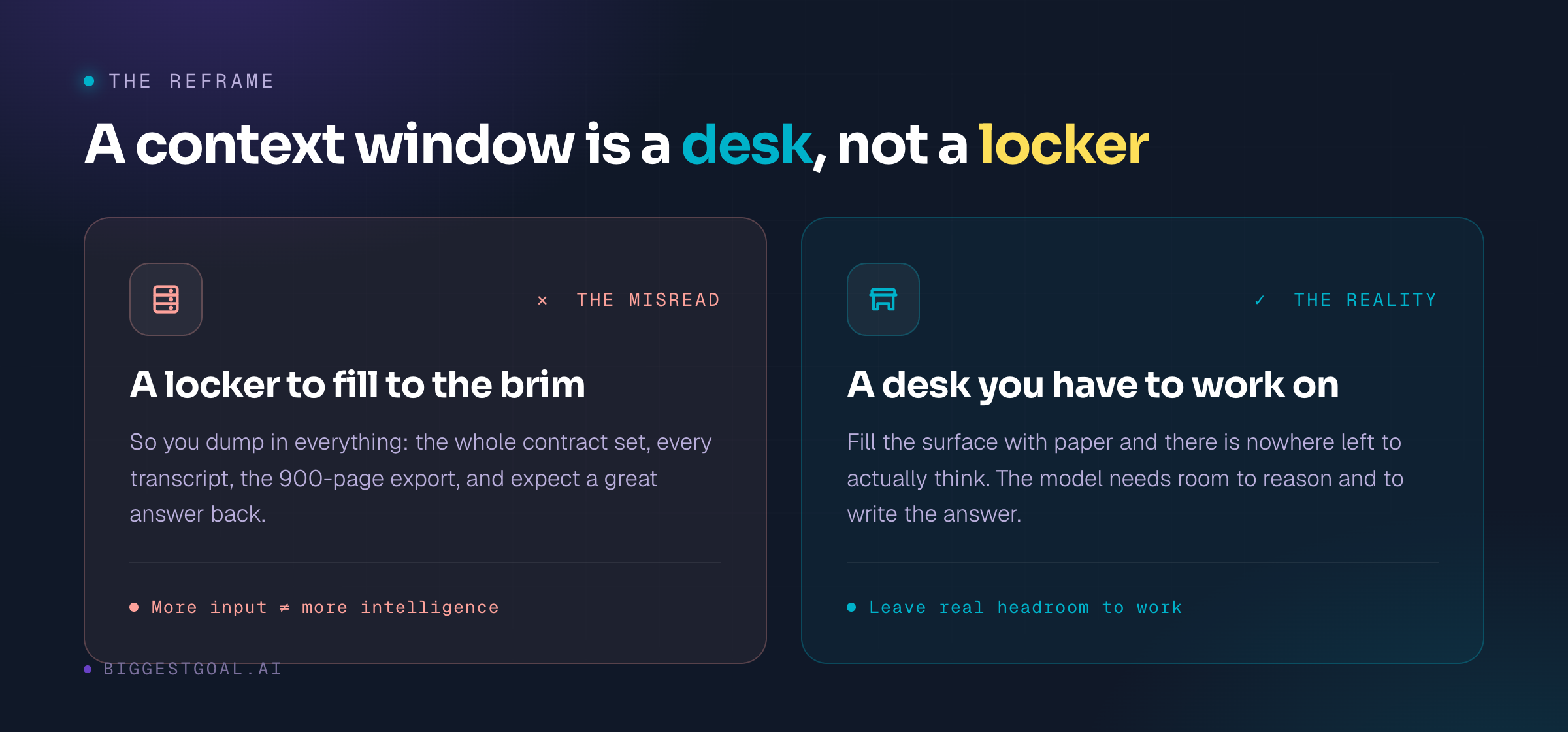
It’s easy to think the Context Window is the amount of raw data that you can load into an AI, but there’s a catch. The Context Window is the size of the model's desk, not the size of the pile of paper you can drop on it and expect a good answer.
Just like in real life, if you fill the desk, there's nowhere left to actually work.
Let’s dive into what a context window actually is, what the sizes really mean, and the simple rules to avoid hallucinations.
What a "token" and a "context window" are
A token is a chunk of text, roughly three-quarters of a word. A useful rule of thumb: 1,000 tokens is about 750 words, so a million tokens is somewhere around 750,000 words of plain English. (Code, spreadsheets, tables, and PDFs are "heavier" and eat more tokens per page, so treat every word count here as an approximation.)
The context window is the total amount of text the model can hold in mind at one time for a single task: everything you've given it, plus everything it says back, all counted together. When a company says "2 million tokens," that's the size of that working space (the desk).
What you want to avoid is thinking of the context window as a storage locker you can fill to the brim. Instead, it really is a desk. And a desk has to hold several things at once while still leaving room for you to work.
The four things fighting for space on the desk
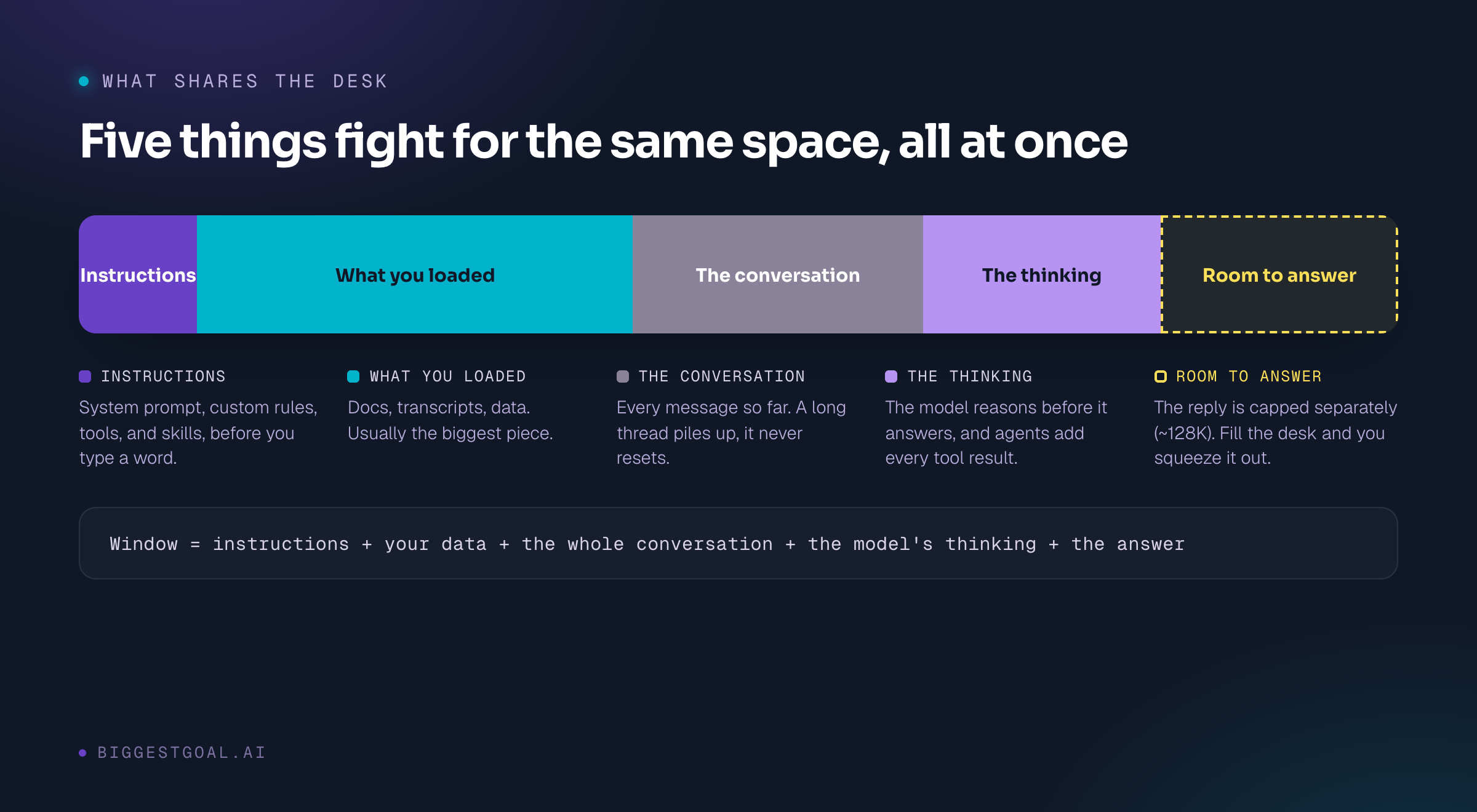
Every one of these lives inside the same window, and they all count against the context window:
The standing instructions. The system prompt, any custom instructions, connected tools, and skills. This is on the desk before you type a word.
What you loaded. The documents, transcripts, spreadsheets, and data you handed it. This is usually the biggest piece, and the one people assume is the only piece.
The running conversation. Every message, yours and the model's, stays on the desk for the whole chat. A long back-and-forth doesn't reset; it piles up.
The model's own working space. Its step-by-step reasoning (today's models "think" before they answer, and that thinking takes tokens), plus, if it's acting as an agent, every tool call and every result those tools return.
And then there has to be room left to write the answer. That's not a rounding error. On today's top models, the answer itself is capped separately, usually around 128,000 tokens of output max, no matter how big the input window is.
So the real formula isn't "window = the data I can load." It's closer to:
Window = instructions + your data + the whole conversation + the model's thinking + the answer.
Fill the desk with documents and you've squeezed out the space the model needs to reason and respond. That's why "I pasted everything in and it still gave me a shallow answer" is such a common complaint. There was no room left to do the work.
What actually fits
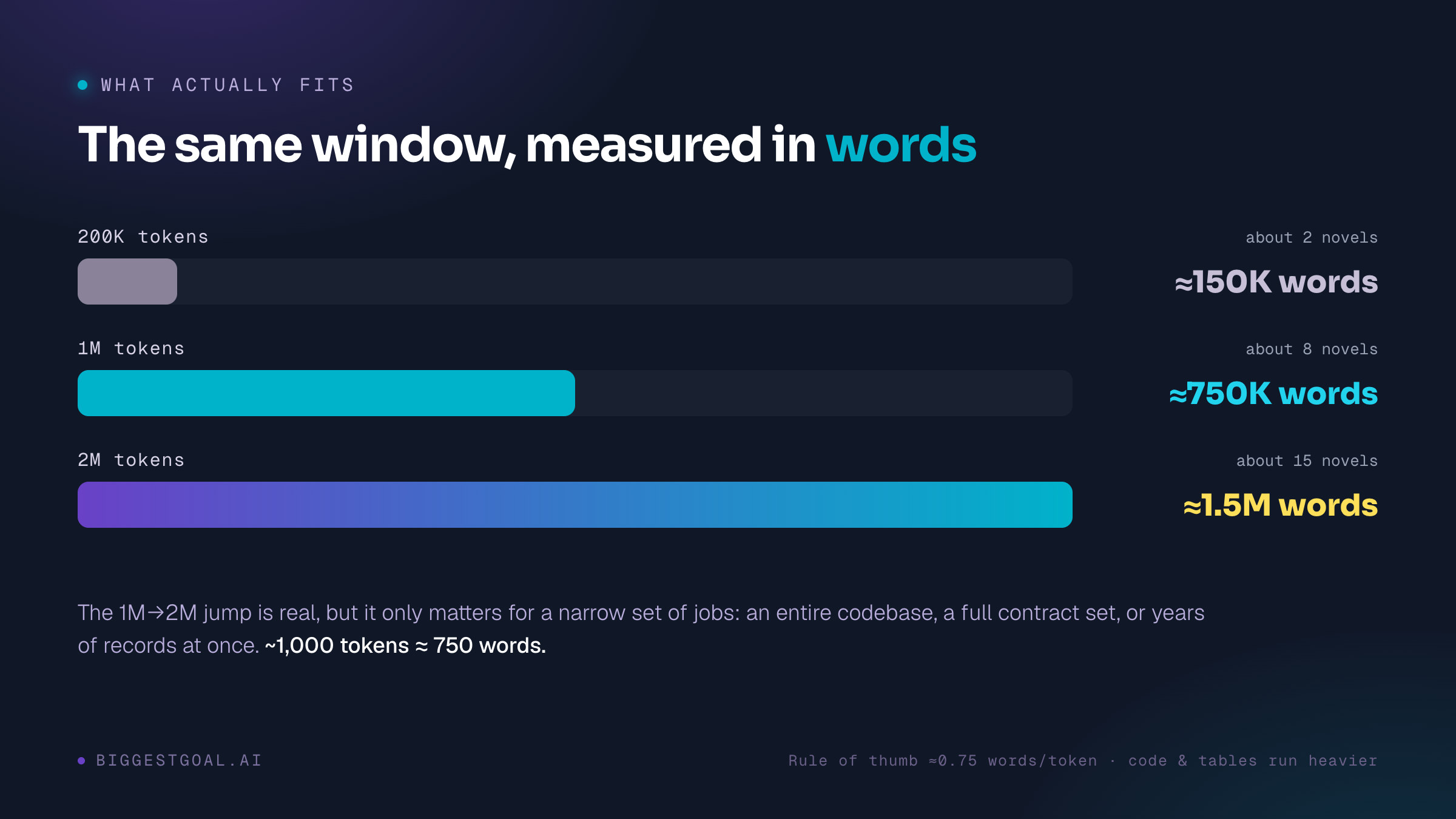
Using the ~750 words per 1,000 tokens rule of thumb, here's a feel for the major windows as of July 2026:
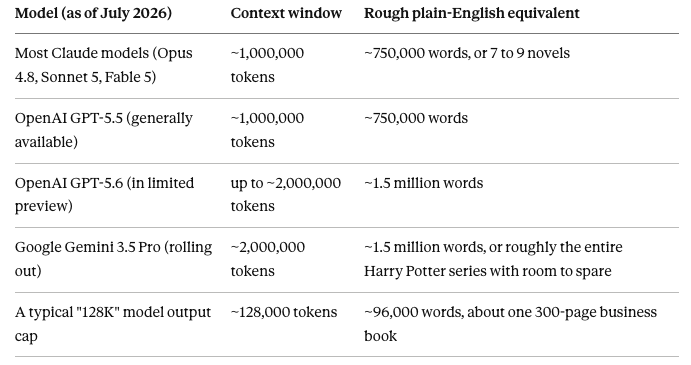
The jump from 1M to 2M is real and it matters for a narrow set of jobs: feeding in an entire codebase, a full contract set, or years of records at once.
The advertised number and the usable number are not the same
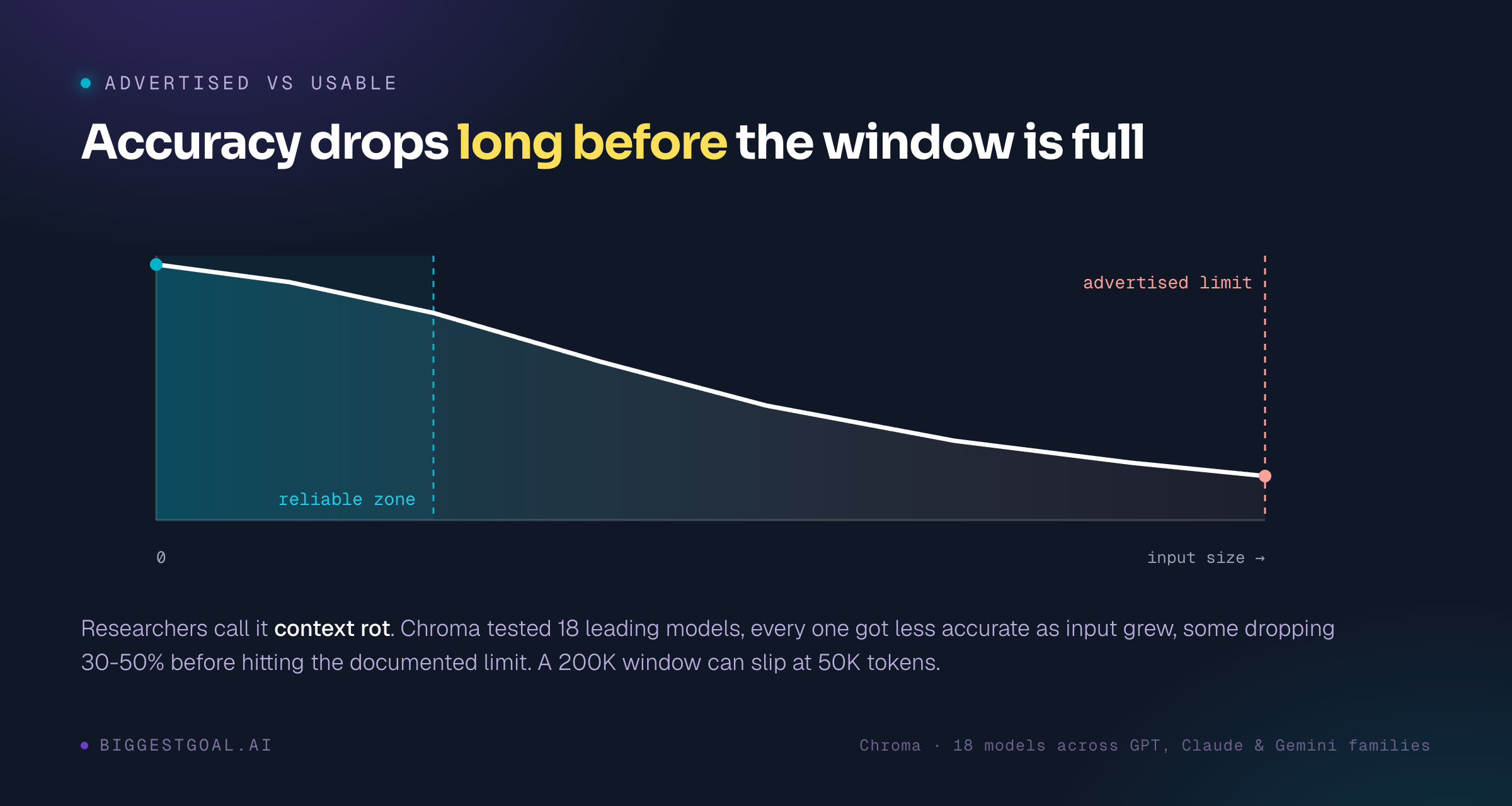
Models don't just fail when the desk is full. They start getting less reliable well before the window is anywhere near capacity.
Researchers call this context rot. Chroma tested 18 leading models (across the GPT, Claude, and Gemini families) and found that every single one got less accurate as the input grew longer, in some cases dropping 30 to 50 percent in accuracy long before hitting the documented limit.
A 200,000-token window can show serious slippage at 50,000 tokens of input.
A 1-million-token window does not reliably reason across a full million.
There's a related quirk called "lost in the middle." Models pay the most attention to the beginning and the end of what you give them, and the least to the middle. Bury the one clause that matters on page 340 of a 600-page dump and accuracy on finding it can fall by more than 30 percent. It's the same reason a person skimming a huge report remembers the intro and the conclusion and glazes over the middle.
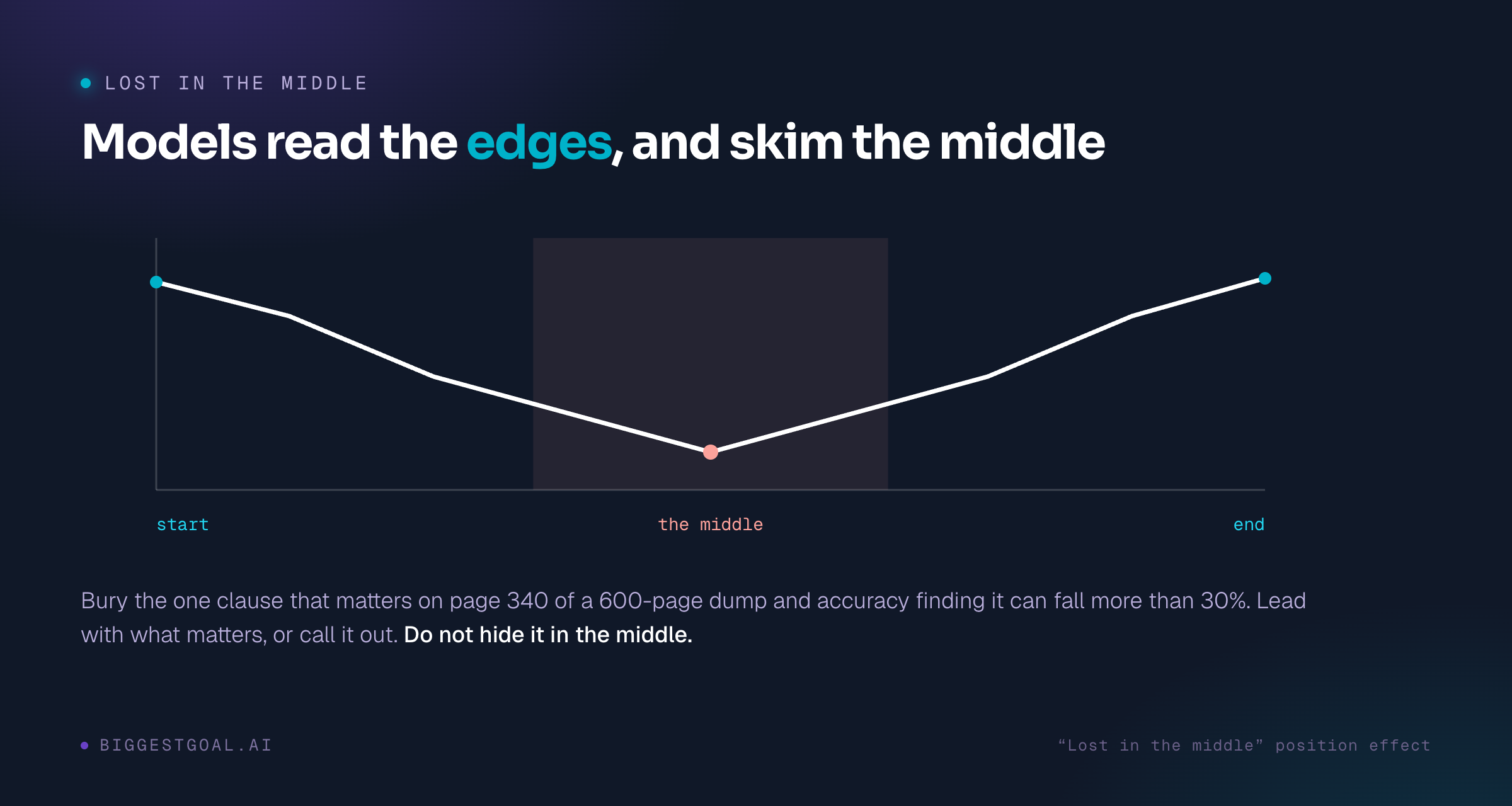
The takeaway: the honest capacity of a context window is smaller than the number on the box. Think of the advertised figure as the physical size of the desk and the usable figure as the part you can actually reach without knocking things over.
Why agents burn through the window fastest
Agents are the direction everything is heading (see the Alberta cybersecurity story and the "agents acting on your files" theme in this week's briefing).
An agent doesn't answer in one shot. It works in steps: search, read a file, call a tool, check the result, try again. Every one of those results gets dropped back onto the desk. A single web page fetch can inject 10,000 to 50,000 tokens of raw content. Read a few files, run a few searches, and a multi-step task can consume hundreds of thousands of tokens before the agent has produced anything for you.
That's why an agent that started sharp can get confused or sloppy halfway through a long job: the desk filled up with its own working papers, and there was no room left to think clearly. Teams building serious agents now deliberately reserve 30 to 50 percent of the window as headroom for tool outputs, and force the agent to summarize and clear its desk before it overflows.
What this means for you
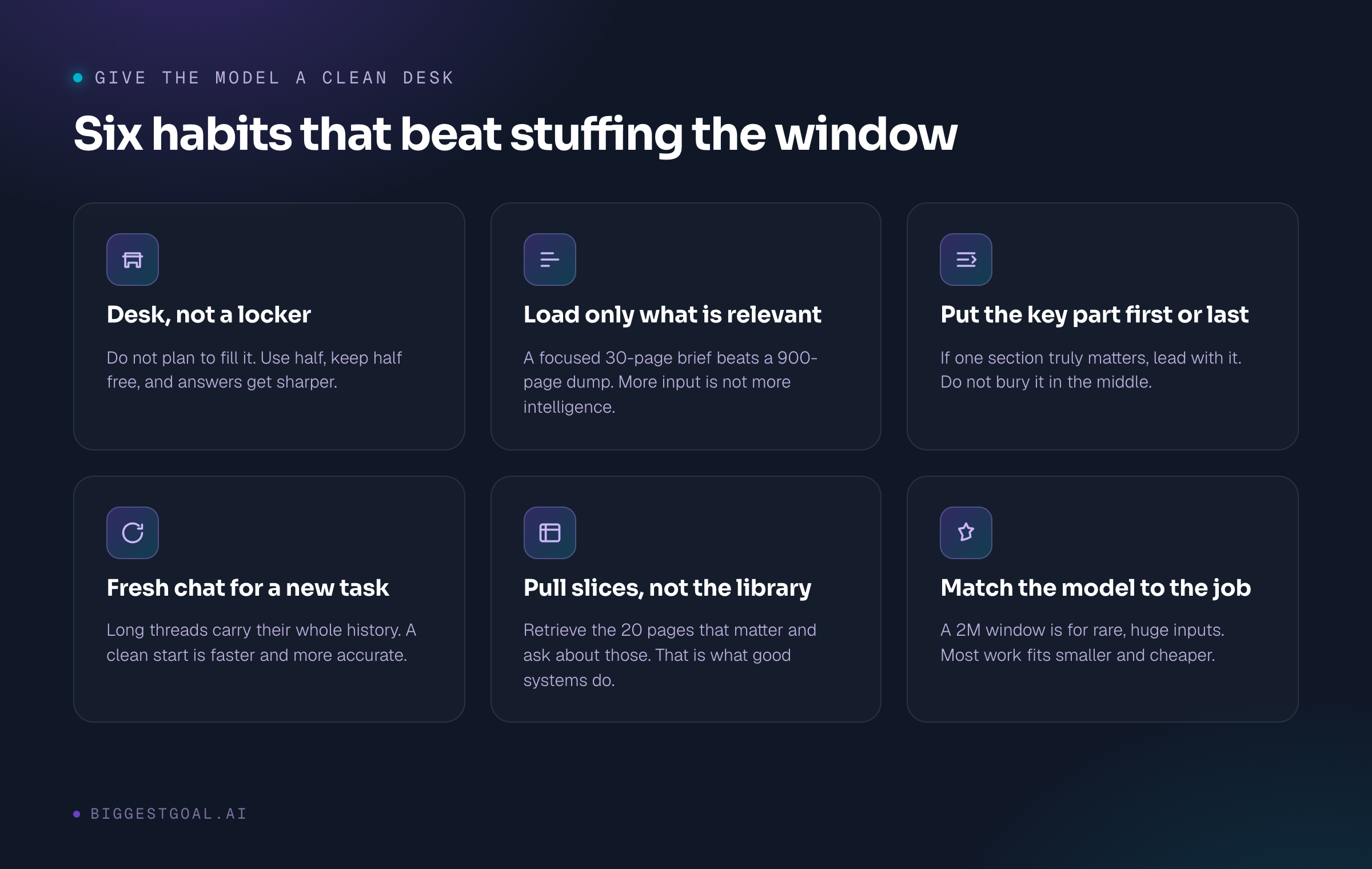
The good news is that you don't need to track token counts to get this right. A handful of habits cover almost everything:
Treat the window as a desk, not a locker. Don't plan to fill it. Leaving real headroom (say, using half the window and keeping half free) reliably beats cramming it full.
Load only what's relevant. A focused 30-page brief usually gets a sharper answer than a 900-page data dump. More input is not more intelligence; past a point it's less.
Put the important part first or last. If one section truly matters, don't bury it in the middle of a giant paste. Lead with it or call it out explicitly.
Start a fresh chat for a new task. Long threads carry their entire history on the desk. When you switch topics, a clean conversation is faster and more accurate than continuing a marathon one.
For big document sets, pull the relevant slices instead of dumping everything. Retrieving the 20 pages that matter and asking about those beats loading the whole library and hoping. This is exactly what well-built AI systems do behind the scenes.
Match the model to the job. A 2-million-token window is a genuine advantage for rare, genuinely huge inputs. Most day-to-day work fits comfortably (and more cheaply) in a smaller context. Don't pay for the commercial dump truck when you're driving to the corner store.
TL;DR
The teams that get the most out of AI aren't the ones stuffing the most text into it, they're the ones who give the model a clean desk, the right materials, and room to actually do the work.
Know someone who'd find this useful?
Forward this to a colleague who's been pasting giant documents into AI and wondering why the answers get thin. They can subscribe at your.biggestgoal.ai to get our briefings daily.
Source notes
Gemini 3.5 Pro 2M-token window and July rollout: Developers Digest · TechTimes
Claude context windows (Opus 4.8, Sonnet 5, Fable 5 at 1M; Sonnet 5 128K max output): Claude Platform Docs -- Models overview · Claude Platform Docs -- Context windows
GPT-5.5 ~1M context / 128K output, GPT-5.6 up to 2M in preview: OpenAI API -- GPT-5.5 model · rewarx -- GPT-5.6 context window
Tokens-to-words rule of thumb (~0.75 words/token; ~750K words per 1M tokens): InventiveHQ · Token Calculator
Context rot / degradation before the limit (Chroma, 18 models): Morph -- Context Rot · Understanding AI -- Context rot
"Lost in the middle" position effect: Redis -- Context rot explained
Agent context consumption and 30-50% headroom guidance: Get Maxim -- Context window management · OpenLegion -- AI agent context window